Guide
How to choose a CRM with a built-in phone for a small business
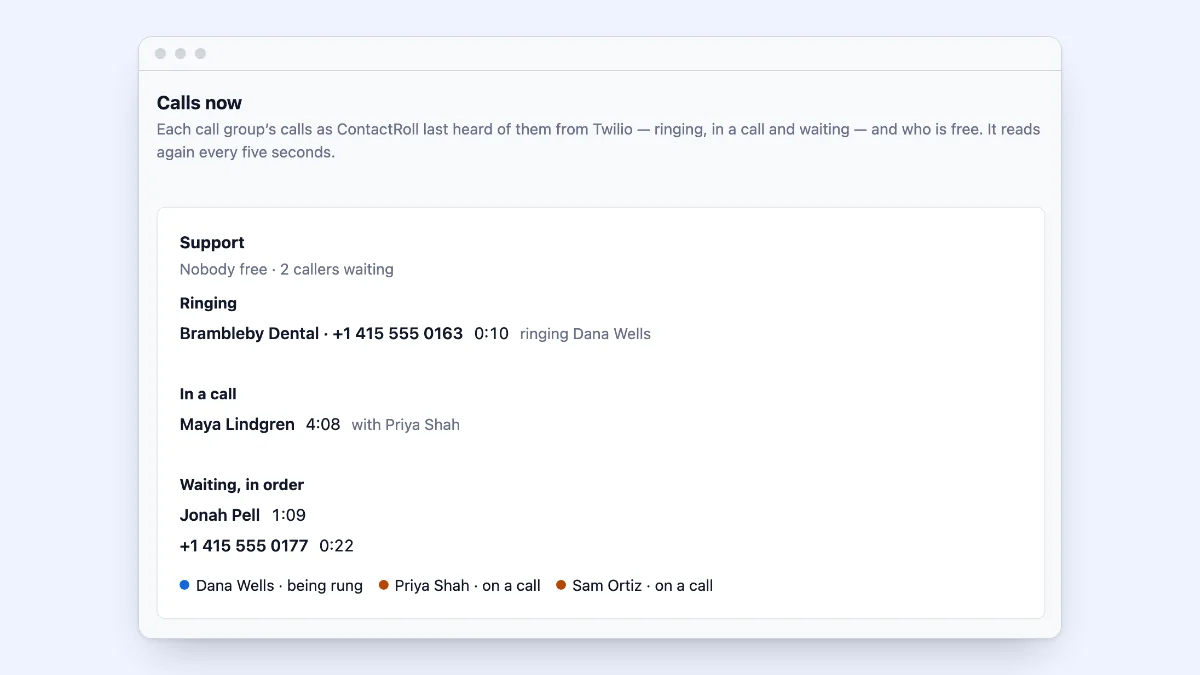
Most small teams answer the phone in one place and keep their customers in another. Whoever picks up cannot see the complaint the caller has had open for a week, and the call is written down somewhere else, if at all. A CRM with a built-in phone rings where the customer’s record is, and puts the call on it when it ends.
There are three ways to get there, and their costs differ more than the feature lists suggest. This guide sets them out, with the questions that decide between them, what calling with a phone menu costs five people at five vendors, and a worked example. It works whichever tools you compare. For the rest of the choice, see how to choose a CRM for a small team.
Three ways to put calls and customer records together
1. A CRM plus a separate phone system, kept in sync
You keep your CRM and add a phone system with its own app or desk phones; an integration, where there is one, logs each call against the matching contact.
- Money: a second price per person for everyone who takes calls, plus that system’s minutes and numbers.
- Time: two sets of users and settings, and an integration to watch; a call it fails to match lands nowhere, so people look in two places.
2. A CRM whose vendor sells calling as an add-on or a higher edition
Calling is inside the CRM, and the vendor supplies the numbers and minutes, often with a monthly allowance.
- Money: the edition with a phone menu may have to cover every seat, not only the people who answer the phone, and some add a one-time onboarding fee. Extra minutes come in paid blocks.
- Time: the least setup of the three: choose the edition, pick numbers, switch calling on.
3. A CRM that places and answers calls through a phone account you own
The CRM rings your team, runs the menu and writes every call onto the record, while the calls travel through a phone account in your name, such as your own Twilio account, which bills you directly.
- Money: the carrier’s usage, small at a small team’s volume and growing with its minutes, plus the CRM’s own price.
- Time: a few setup steps at the carrier, done once, and a second bill to watch. Using your own Twilio account for business calls walks through them.
The questions that decide it
Answer these from your own week before opening a pricing page.
- Browser or desk phones? Browser calling needs only a computer and a headset, and shows the customer’s record while the phone rings. If people take calls away from a desk, check that those calls land on the record too.
- Who rings? Most teams need call groups, such as Sales and Support, that ring everyone at once or one person at a time and skip anyone on a call. What is a ring group covers the choice.
- A phone menu, or a number for each line? One number printed everywhere needs a menu to split sales from support. If customers already ring separate numbers, each can ring its own group with no menu. How to set up a phone menu covers the wording.
- After hours? Decide what a caller hears when you are closed: a closed message, voicemail, or an on-call person.
- Hold and transfer? A cold transfer hands the caller straight over; a warm transfer lets you brief a colleague first while the caller holds.
- Recording? Announce every recorded call first, and decide who may listen and how long recordings are kept (telling callers a call is recorded).
- Does every call land on the record? In a trial, ring your number from a test customer’s phone: the call should appear on that customer and their open case without anybody copying it there.
- What do a minute and a number cost, and who bills you? Some plans include minutes, some charge by the minute, and with your own phone account the carrier bills you.
- Which edition has the phone menu? It is often not the cheapest one, so ask whether every seat must be on it.
What five people pay for calling with a phone menu
Each row is one set of plans from the vendor’s own pages that gives five people calling with a phone menu: US list prices before tax, on the day read. Prices change, so follow the links.
| Vendor and plans | Five people, a month | What calls cost on top |
|---|---|---|
| Freshworks: Freshsales Growth with Freshcaller Pro, read on October 10 and 11, 2026 | $240 paid yearly, $290 monthly | 3,000 incoming minutes a month included; a US local number $1 a month; calls to US numbers $0.02176 a minute; recording $0.0032 a minute |
| HubSpot: Service Hub Professional, read on October 11, 2026 | $450 paid yearly, or $500 paid monthly on a yearly commitment, plus $1,500 onboarding once | 3,000 minutes a month and up to 3 numbers for the account; more minutes $50 a month per 1,000, more numbers $25 a month per 5 |
| Pipedrive: Pipedrive Lite with CloudTalk Essential, read on October 10 and 11, 2026 | $215 paid yearly, $315 monthly | Unlimited calls within the US and Canada under fair use, except special, premium and toll-free numbers; no number price on CloudTalk’s page |
| Zendesk: Suite Professional, read on October 11, 2026 | $575 paid yearly, $745 monthly | A US number $1 a month; answering in the browser $0.016 a minute; calling a US number $0.022 a minute; recording $0.003 a minute |
| Zoho: Zoho CRM Standard with Zoho Voice Basic, read on October 11, 2026 | $240 paid yearly, $295 monthly | Unlimited calls within the US and Canada, toll-free excluded; a local number $1 a month; recording $0.0025 a minute |
What each row rests on:
- Freshworks: Freshcaller’s plan comparison lists phone trees (IVR) on Pro; Freshsales’ own phone, on every Suite plan, has no phone-menu row in its comparison. Rates: Freshcaller’s call rates page.
- HubSpot: its help article puts the phone menu on Sales Hub and Service Hub Professional and Enterprise; extra minutes and numbers are in its product catalog.
- Pipedrive: its help article on calls says Pipedrive “doesn’t have a built-in calling integration” and points to calling apps in its Marketplace, CloudTalk and Aircall among them. Essential is CloudTalk’s cheapest plan with a phone menu.
- Zendesk: the “IVR phone tree” is on Suite Professional; Suite Team has the phone without one. Call prices: Zendesk’s Talk pricing article. Zendesk is retiring its sales CRM, Sell, on August 31, 2027.
- Zoho: Zoho Voice Basic lists a multi-level phone menu, call queues, recording and integration with Zoho CRM and Desk; Zoho’s CRM integration page does not say which CRM edition it needs, so ask Zoho. Where every call is taken inside Zoho’s apps, Zoho Voice Standard is $49 a month paid yearly ($59 monthly) for one admin license with 10 telephony agents, and 1,000 incoming and 250 outgoing minutes instead of unlimited calling.
A worked example: a six-person espresso machine business
Tamberlow Espresso Service is invented. It sells and services espresso machines for cafés and offices. Margit owns it, Callum and Yusuf sell, and Hana, Pieter and Della take service calls. Customers ring one number printed on every machine, and a two-key menu sends them to sales or service.
They take about 40 calls a working day: in a typical month, 625 come in and 200 go out. Rounded up to whole minutes, as Twilio and Freshcaller bill, a call in averages 4 minutes and a call out 5: 2,500 minutes in and 1,000 out. Every call is recorded, and recordings are kept 30 days. Margit prices calling for all six two ways.
Setup A: their CRM, plus Freshcaller Pro as a separate phone system, at the table’s rates:
| Line | A month |
|---|---|
| Six agents × $39, paid yearly | $234.00 |
| 2,500 minutes in, inside the 3,000 included | $0.00 |
| 1,000 minutes out × $0.02176 | $21.76 |
| One local number | $1.00 |
| 3,500 minutes recorded × $0.0032 | $11.20 |
| Total, before taxes | $267.96 |
Setup B: a CRM that places and answers calls through Tamberlow’s own Twilio account, at Twilio’s US prices, read on October 11, 2026. A call in the browser is two legs, one to the other phone and one to the browser (Twilio’s help article), each billed and rounded up on its own (how Twilio rounds):
| Line | A month |
|---|---|
| One local number | $1.15 |
| 2,500 minutes in × ($0.0085 + $0.0040 for the browser) | $31.25 |
| 1,000 minutes out × ($0.0140 + $0.0040 for the browser) | $18.00 |
| 3,500 minutes recorded × $0.0025 | $8.75 |
| Keeping 30 days of recordings, 3,500 × $0.0005 | $1.75 |
| Total, before taxes and surcharges | $60.90 |
Time at the menu is on the phone’s leg only, so this overstates the browser’s leg a little.
In setup A, $234 of the $267.96 is seats, the same in a quiet month as a busy one; in setup B, every line but the $1.15 number moves with the minutes. But $60.90 is the carrier alone: the CRM that rings people and runs the menu charges for its seats too. Margit compares each CRM’s price with calling and without, and adds the difference for six seats where a phone menu needs a higher plan.
Neither total includes taxes, or the $0.015 Twilio may add for each very short or unanswered call in a month when such calls are 20% or more of those placed to North American numbers (Twilio’s terms, read on October 11, 2026).
A checklist before you choose
- Count a month of calls, in and out, in minutes rounded up.
- Name the groups that answer, and how each rings.
- Decide between a phone menu and a number for each line.
- Write what callers hear after hours.
- Decide on recording: the announcement, who listens, and how long recordings are kept.
- For each setup, price the cheapest edition with everything on your list, for every seat.
- Add minutes, numbers and recording at the published rates, then taxes.
- In a trial, call your number from a test customer’s phone, and find the call on their record.
How ContactRoll does it
ContactRoll works the third way. Calls are placed and answered in the browser through your organization’s own Twilio account, and Twilio bills that account for every call and number, with no markup from ContactRoll. Calls to your numbers ring the free members of a call group, everyone at once or one at a time, and callers can wait in line, hearing ContactRoll’s own tones or one of three Bach piano recordings, whichever your organization chooses. Every call that comes in opens a case or joins the caller’s open one, and every call is kept on the person’s record, so a call, a case and a deal sit on the same person. Call groups, voicemail, recording, hold and cold transfer are on Standard; phone menus of up to four keys, owner-first ringing and warm transfer are on Plus. Recording is off until an Owner or Administrator switches it on, and every recorded call is announced. Free is $0 for up to 3 people; Standard is $29 and Plus $59 per user a month paid yearly; see pricing. You can start free, with no card.
Questions
What is a CRM with a built-in phone?
A CRM that places and answers calls itself, usually in the browser, and writes each call onto the customer’s record. The calls travel either through the CRM vendor’s own phone service or through a phone account you own, such as a Twilio account.
How do I compare what calling costs in different CRMs?
Price the cheapest edition that has every calling feature you need, for every seat that needs it, then add minutes, numbers and recording at the published rates. Work from a real month of your own calls, rounded up to whole minutes, not from the price per user on a plan page.
Do I need a phone menu if I have two phone numbers?
Often not. If customers already ring one number for sales and another for support, each number can ring its own group directly. A menu earns its place when one number is printed everywhere and callers have to choose.