CRM with a phone system
A CRM with a built-in phone system
The phone system is part of the CRM. Call customers and take their calls in the browser, from the product that holds their record, their deals and their support email, with call groups, a phone menu, hold, transfer and recordings. Calls go through your own Twilio account, which bills you by the minute, with no markup from us.
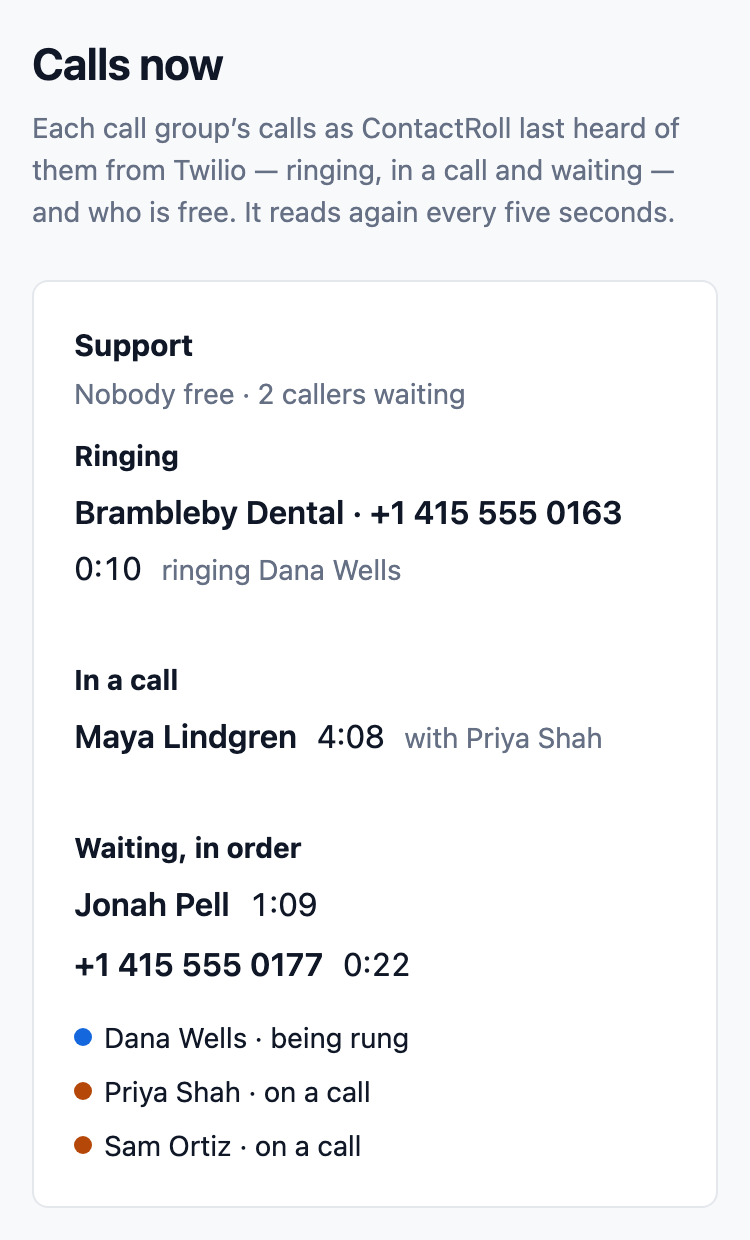
Calls that ring whoever is free
Each number rings a call group: everyone at once, or one at a time, longest idle first. Only members who are free are rung, and callers can wait in line with the hold music you choose.
- A missed call or a voicemail opens a case, or joins the caller’s open case.
- A live view of every call shows who is ringing, who is talking and who is waiting.
- Put a caller on hold and transfer them with a note. On Plus, a warm transfer lets you talk to a colleague first.
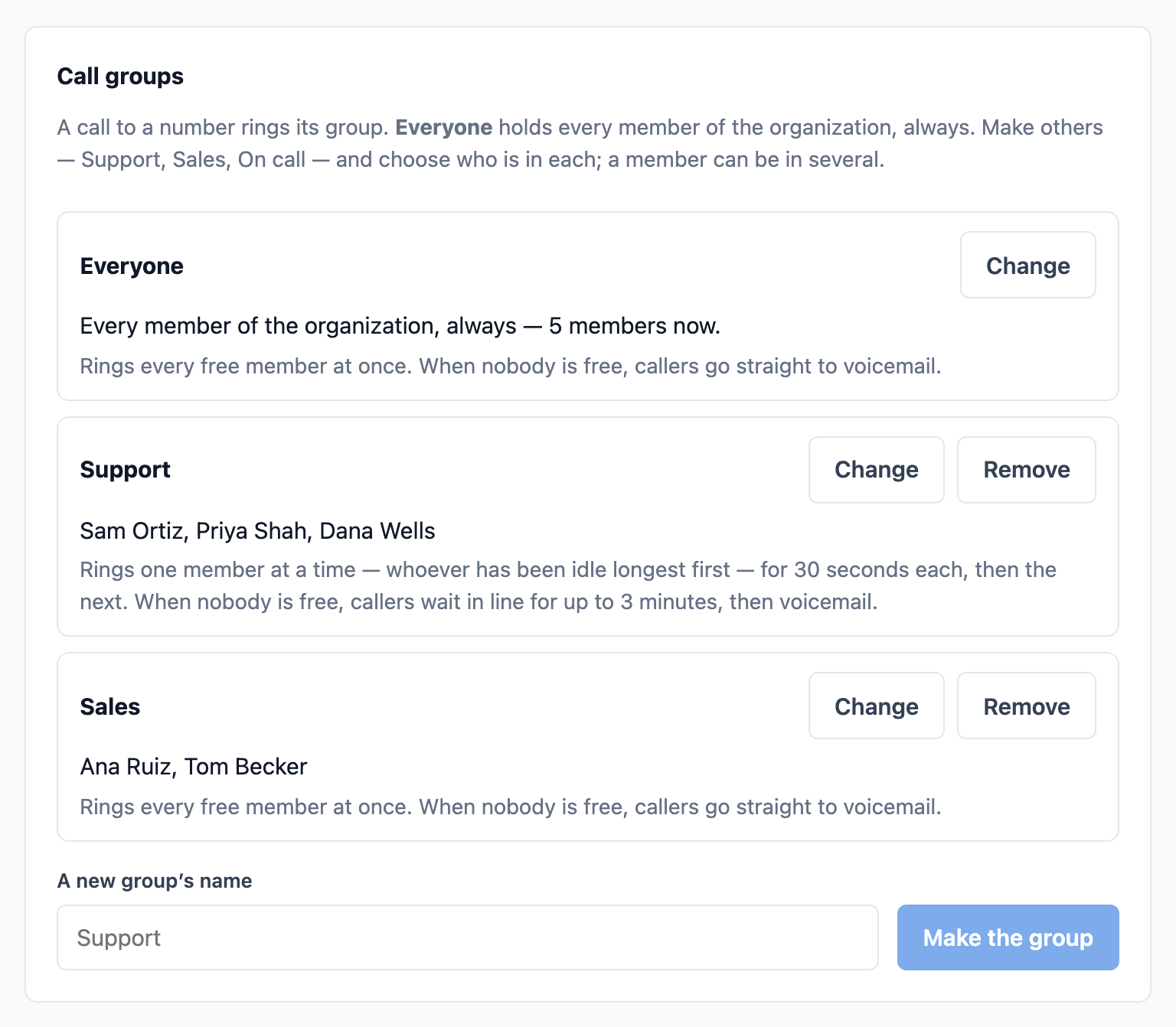
Every call on the customer’s record
A customer’s page holds their numbers, their cases, their calls and every note, so whoever picks up next sees what was said. Call a number from their page with one press.
- Several numbers for each contact, one marked to call first.
- Log a call made on another phone, with how it went and a callback task in one click.
- Recordings play on the case, and every recorded call is announced to the caller first.
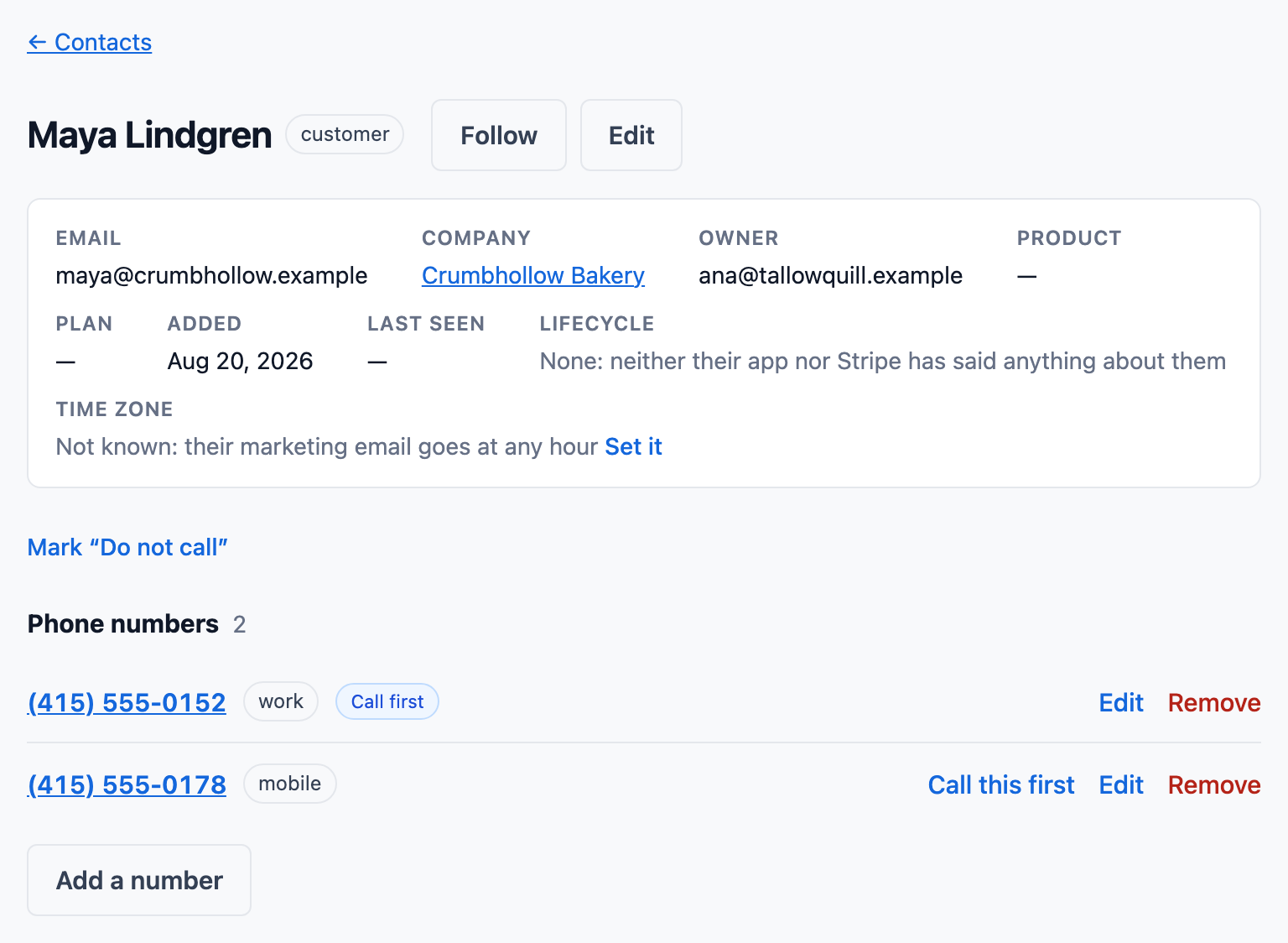
Hours, a greeting and a phone menu for each number
Give a number its hours and a greeting, starting from one of six templates, and on Plus a menu of up to four keys. Out of hours it can say you are closed and take a message, or ring an on-call group.
- On Plus, owner-first ringing rings a known caller’s account owner alone, when they are free, for 5 to 30 seconds before the greeting.
- Each setup is a version, and the one before comes back in one click.
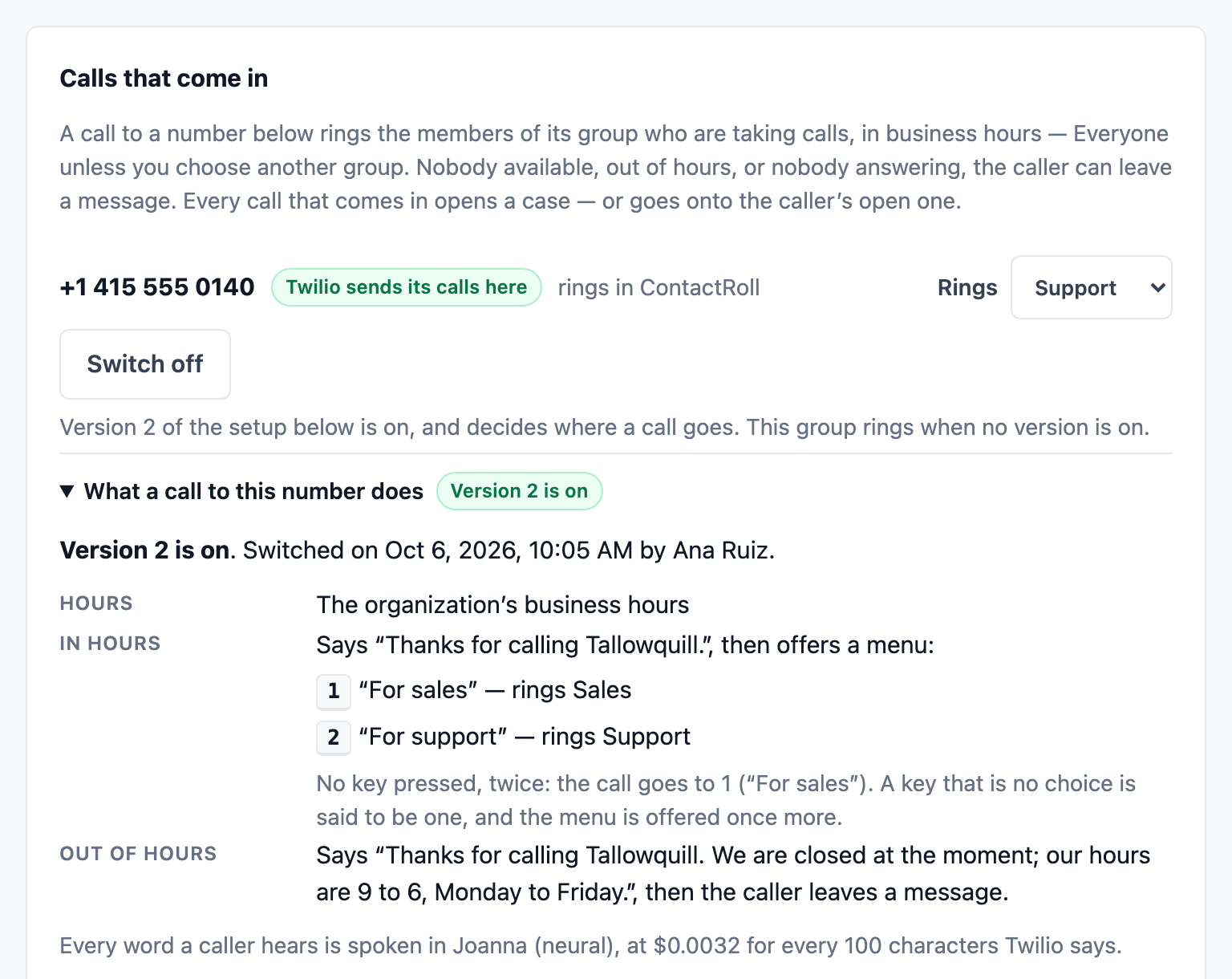
Also in ContactRoll
Deals beside the calls
A deal has an amount, a stage and a close date, and its page holds the cases linked to it, its contacts and its tasks.
Pay by the minute
Twilio bills your own account for each call at its published rates. The calling cost calculator shows what your minutes would cost.
Calls in the browser
Calls are placed and answered in the browser, on a computer with a microphone.
Questions
What does a CRM with built-in calling need?
In ContactRoll: your organization’s own Twilio account, connected once by an administrator, and a browser with a microphone. Calls ring call groups, land on the customer’s record, and can be recorded.
What do the calls cost?
Twilio bills your own account by the minute at its published rates, with no markup from us. For example, 2,000 minutes a month in the browser, half of them recorded, with one number, come to about $34 at Twilio’s US rates read October 14, 2026. A call put on hold or transferred also pays Twilio’s conference minutes.
Which plan has the phone menu?
Plus: phone menus, owner-first ringing and warm transfer. Every plan, Free included, has call groups, voicemail, recording, hold and cold transfer.