Support
Support email that behaves like a queue.
When a customer writes to your support address, a case opens and its clock starts. It is ready for someone to take. The queue says who is being waited on and for how long, worked out from who wrote last, never from a status someone forgot to change.
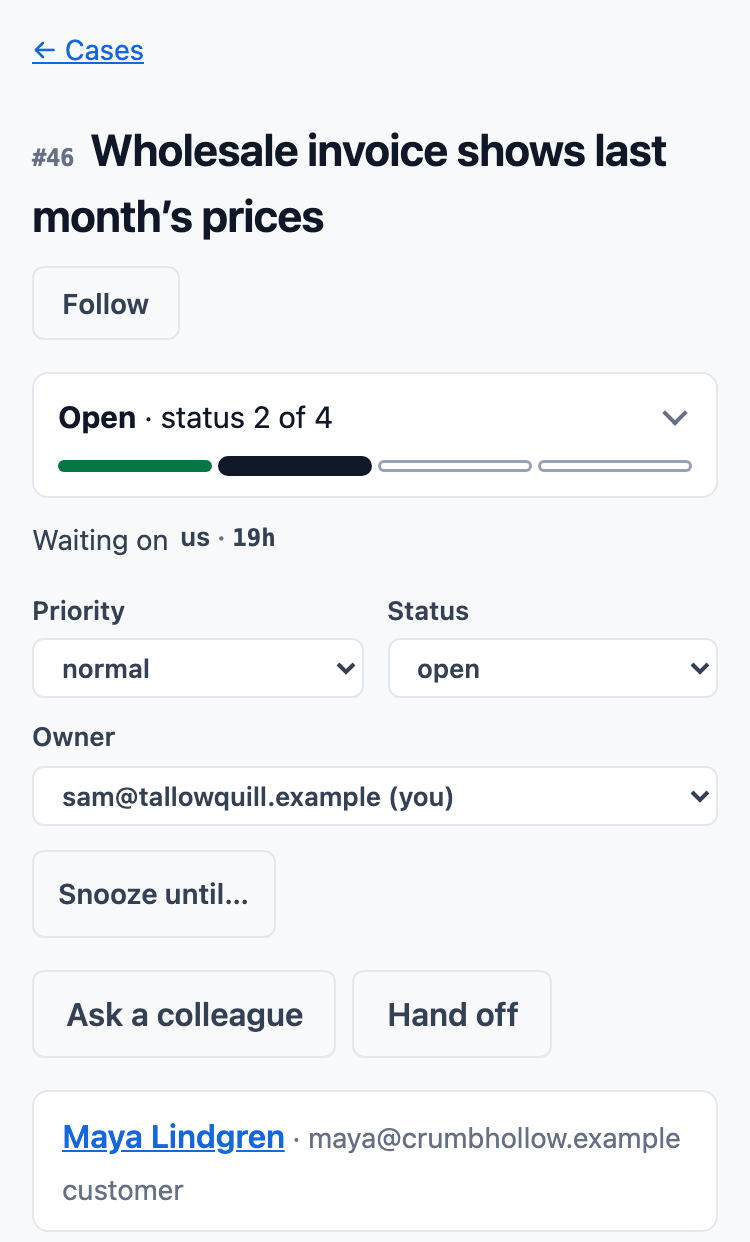
Every message on its case
Your reply and the customer's answer stay on one case. A tag in the reply address carries the thread, with the case number in the subject as the fallback when a mail client drops it.
- The queue shows "us" and how long when the customer is waiting on you, "them" when you are waiting on the customer, or a dash when the case is done. Cases waiting on your reply sort to the top.
- Send a reply and set the status in one step: closed, pending or open.
- Snooze a case until a time you choose. It comes back by itself, or when the customer writes.
- Saved replies fill in the customer's first name, and nothing is sent until you send it.
- A response-time target, for the whole team or per product, counts down on each case, in business hours.
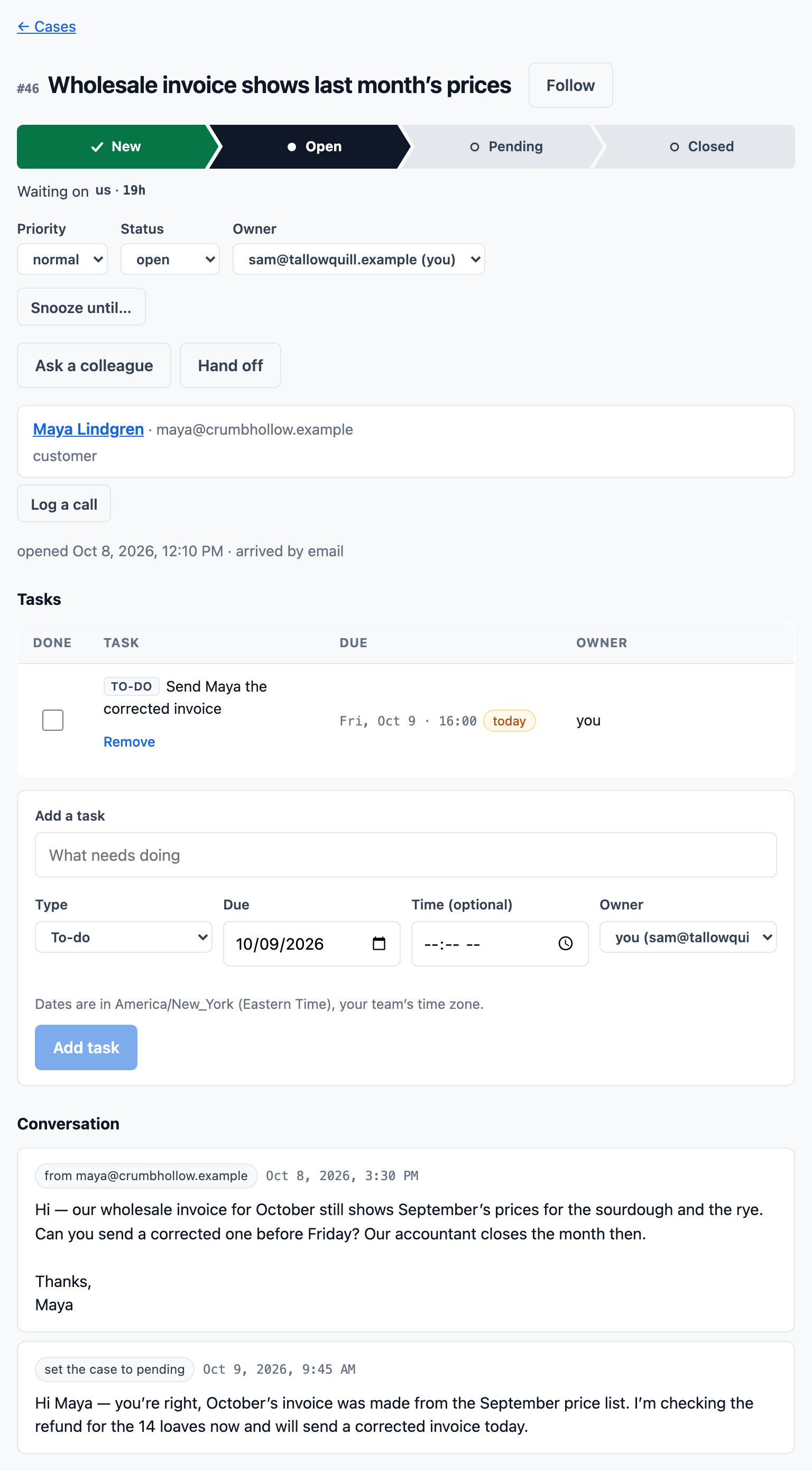
A support email, start to finish
An email lands as a case with its reply clock, and the same customer’s call lands on the same record.

Knowledge articles, linked from every case
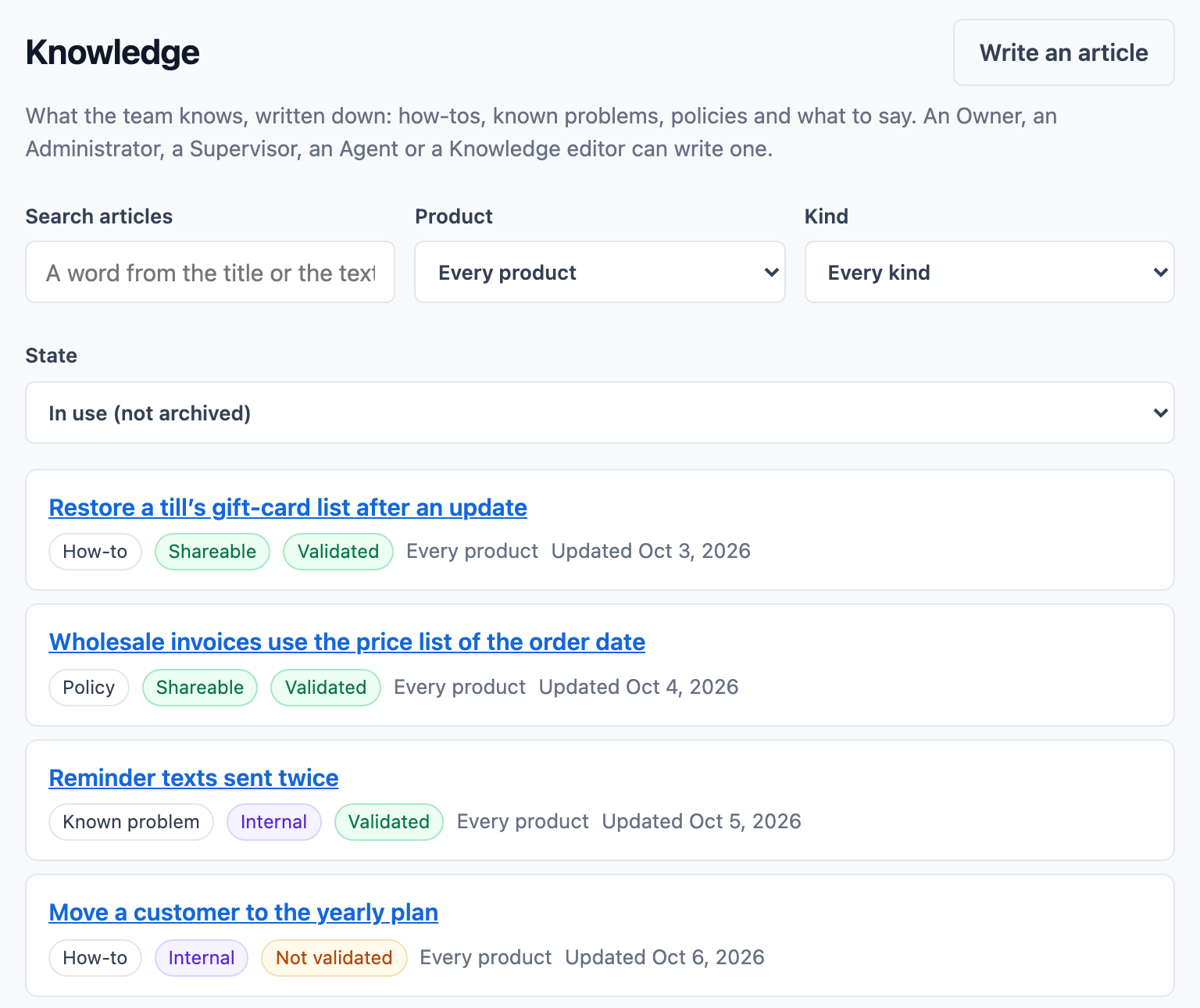
Your team writes down what it knows: how-tos, known problems, policies and what to say. Each article is internal or shareable, and only validated articles appear in the help center.
- On a case, ContactRoll suggests articles from the case's own words and puts a shareable one into your reply.
- An email that quotes an internal article is refused.
- Anyone who can write articles can flag one as wrong, and every article in use comes due for review on a schedule. Both make a task for whoever looks after it.
- A report shows how articles are used, including the searches that found nothing.
Automation flows, on Plus
A flow reads as one sentence: when something happens, if it matches, do this. A case created as urgent, a missed response target, a deal that moved, a payment that failed: each can assign to team members in turn, set a status or priority, create a task, notify someone, send a saved reply, start a sequence or escalate.
- Test a flow against the last 30 days before you switch it on, and see what it would have done, record by record.
- Every action lands on the record’s timeline, naming the flow and its version.
- Guardrails stop a loop: ten runs per record a day, and 500 actions an hour.
Also in support
A help center per product
Shareable, validated articles on a public page with a search, a support form that opens a case, and a widget for your own site.
Bug reports to GitHub, from a case
Report a bug from a case to the product's own GitHub repository. The report is checked for the customer's name, address and words before it is sent. When the issue is closed as completed, each waiting case comes back to your queue, and on Plus its owner gets a task.
Calls on the case
A call that comes in opens a case, or joins the caller's open one. See calling.
Where to go next
Pricing
What each plan includes, and what calls cost.
See pricingGuides
- Help desk vs shared inbox: which does a small team need?
- How to choose help desk software for a small team
- How to write a knowledge base article, with a template
- Handling calls after hours as a small business
- How a small team should handle support email
- How fast should a small team reply to customer email?
- Support email templates: 15 replies for a small team
Calling
Call groups, menus, hold and transfer.
Next: callingQuestions
How does email reach ContactRoll?
Each organization gets its own support address. Forward your existing support mailbox to it, or publish it. A message to it opens a case, and the customer’s replies stay on that case.
Can customers find answers themselves?
Each product can have a public help center: its shareable, validated articles, a search, a support form that opens a case, and a widget for your own website.
What happens to attachments?
They are kept in private storage and come back as downloads whose link expires after sixty seconds. A file that could not be kept is still listed on the case, with the reason.