Marketing
Campaigns, sequences and flows, planned and approved in one place.
Plan each campaign on a calendar, have a person approve every piece, and let sequences and automation flows follow up when a customer acts. Results per campaign show what each one brought in, from the same contacts your sales and support teams work from.
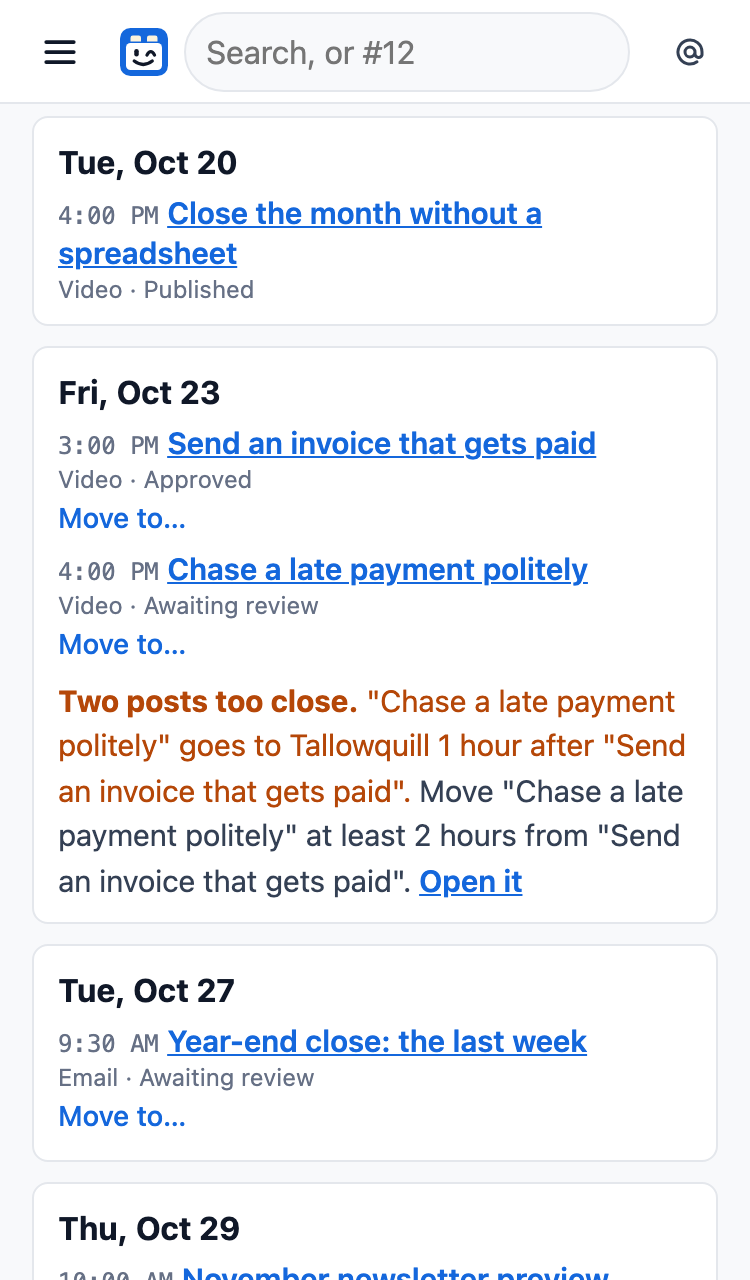
Plan it, approve it, and it sends itself
A campaign starts from a goal and one message. Each email or video in it is a piece with versions, and a person approves the exact version that is sent.
- A claim check points out any number, quote or comparison your product's facts do not support.
- One calendar shows every piece, and warns you, with a fix, when two pieces clash or one is due without approval.
- No one presses Send: an approved, scheduled piece goes out at its time.
- A/B test a subject line, with the winner called by a written rule and sent to the rest.
- Results per campaign: clicks, sign-ups, trials and the revenue it brought.
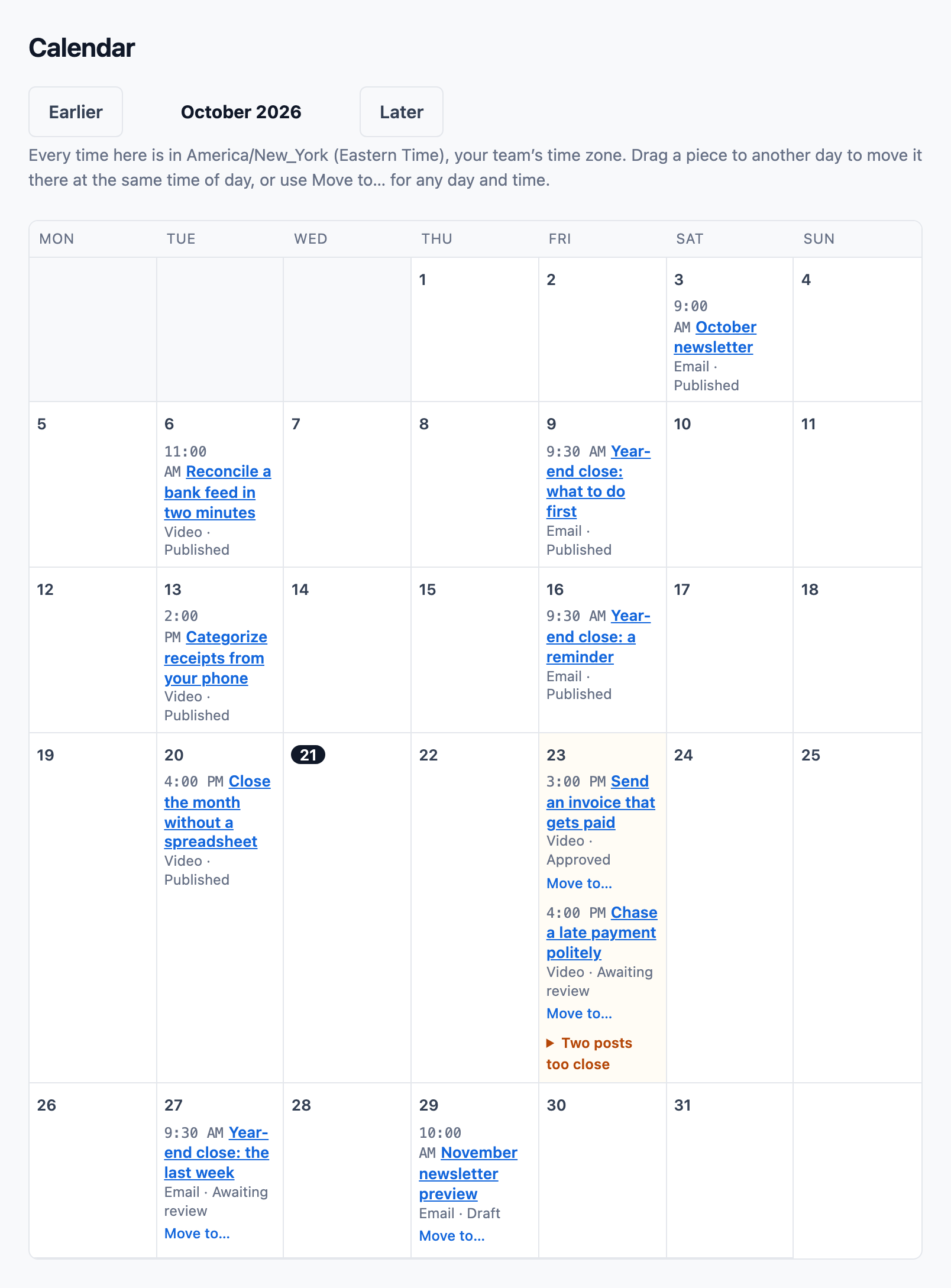
Sign-up forms that grow your list
Put a sign-up form on your site as a hosted page or a plain HTML snippet. Each one uses double opt-in, and the person's confirmation is kept with the form's wording, the page and both times.
- A page where each person chooses their topics and how often they hear from you.
- A weekly cap per person, and quiet hours where a person's time zone is known.
- Sending pauses itself if complaints or bounces climb, before your domain's reputation suffers.
- Standard holds 2,000 marketing contacts and Plus 10,000. An import that would go over the limit is refused whole and explains why.
Also in marketing
Sequences
A series of emails that starts when a person does something, such as starting a trial. It moves on day by day in your team's time zone and ends when its goal is reached or the person unsubscribes.
Segments and fields
Audiences built from rules on your CRM data, and fields such as a first name filled in from the contact at the moment of sending.
Click tracking you control
Links are tracked, and an organization can switch tracking off. A person can ask for their clicks to be forgotten without leaving the list.
The video and AI tools, on Plus
Videos are planned scene by scene before anything is paid for. On your own Google account, ContactRoll can ask for first drafts, pictures and short clips; on your own HeyGen account, for a presenter or a produced video; and its own renderer cuts your recordings and stills into the finished file.
- Every draft, picture and clip is a candidate until a person chooses it and approves the piece.
- Google and HeyGen bill your own accounts, and ContactRoll shows what each request will cost before it is made.
- Nothing sent to them carries a customer's name, address or words.
Where to go next
Questions
Can I email everyone in my contacts?
No. Marketing email goes only to people with a consent record: what they did, when, and the evidence. A customer who wrote to support did not agree to marketing. Someone who unsubscribed stays unsubscribed, even if they are imported again.
How does a sign-up form work?
Paste a plain HTML form into your site, or use a hosted page. The person gets one email to confirm the address. When they click the link in that email and press the button on the page it opens, consent is recorded with the form, the wording, the page, and the times they signed up and confirmed.
Do I need my own sending domain?
Yes. Marketing email is sent from your own domain, which you verify in ContactRoll’s sending settings. ContactRoll checks its SPF, DKIM and DMARC records, and a new domain is held to a rising daily limit for its first four weeks.
What are the video and AI tools?
On Plus, ContactRoll can ask Google, on your own Google account, for drafts, pictures and short video clips, and HeyGen, on your own HeyGen account, for a presenter video. Each is a draft: a person reads it, changes it and approves it before it goes anywhere.