Calling
Phone calls in the browser, on your own Twilio account.
Call a customer from their page and say how it went. Calls to your numbers ring the members who are free, every call that comes in lands on a case, and a caller no one answers can leave a voicemail. Twilio bills your account for the calls; ContactRoll adds nothing.
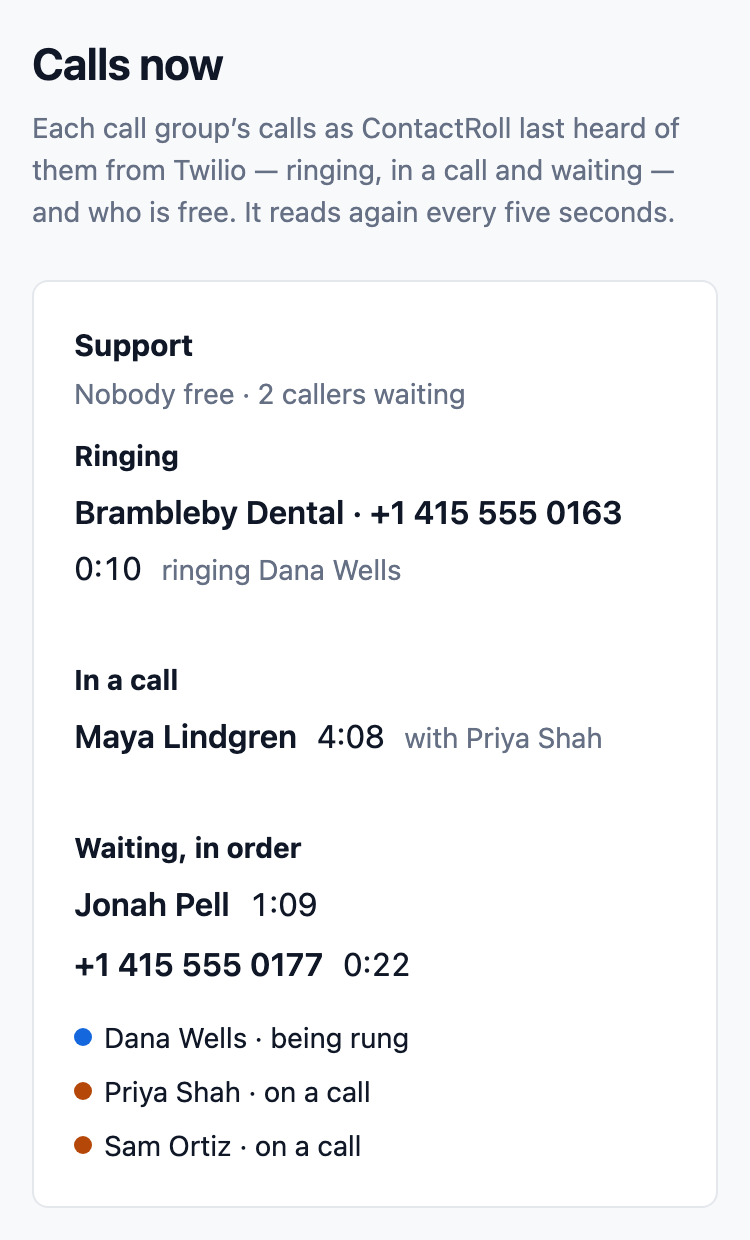
Call groups that ring who is free
A call group is a named set of members, such as Support or Sales. Each number rings one group, and a group rings everyone at once or one at a time, longest idle first.
- A member on a call, or one who has said they are not taking calls, is never rung.
- When no one is free, callers can wait in line, hearing the hold music you choose, and are put through in order.
- A missed call or a voicemail opens a case in the group's queue, or joins the caller's open case.
- A live view of every call shows each group's calls as they happen.
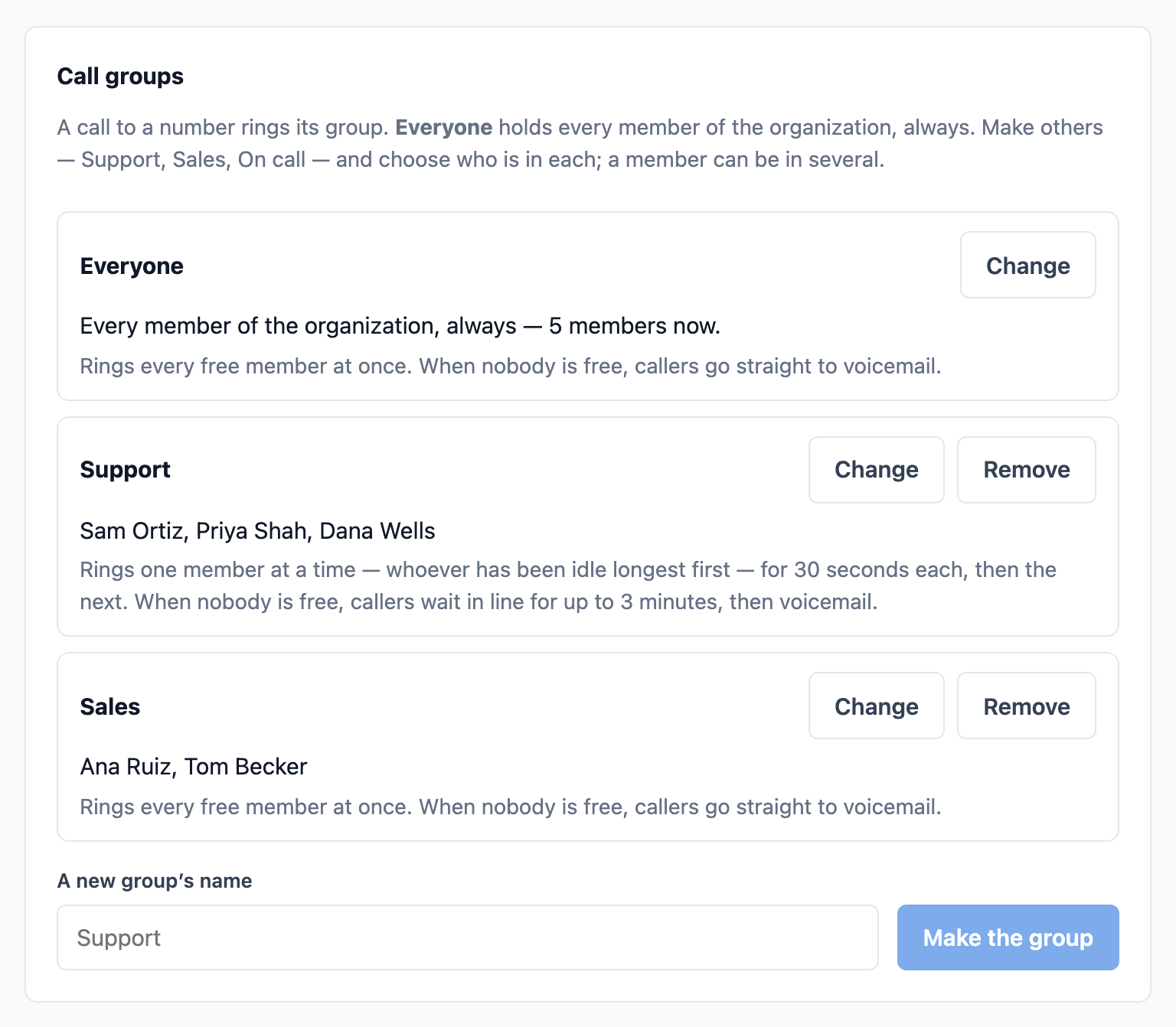
Phone menus, hours and a greeting for each number
Give a number its own setup: its hours, a greeting, and then a call group, a message, or a menu of up to four keys. Out of hours it can say it is closed and take a message, or ring an on-call group.
- Six templates to start from, such as a front desk menu or a support line with a queue.
- Each setup is a version. Nothing changes for callers until you switch one on, and you can go back to the previous one in one click.
- Owner-first ringing: a known caller rings their account owner first, for 5 to 30 seconds, before the number's greeting.
- Callers hear your organization's chosen voice, and on hold your tones or one of three piano recordings by Kimiko Ishizaka.
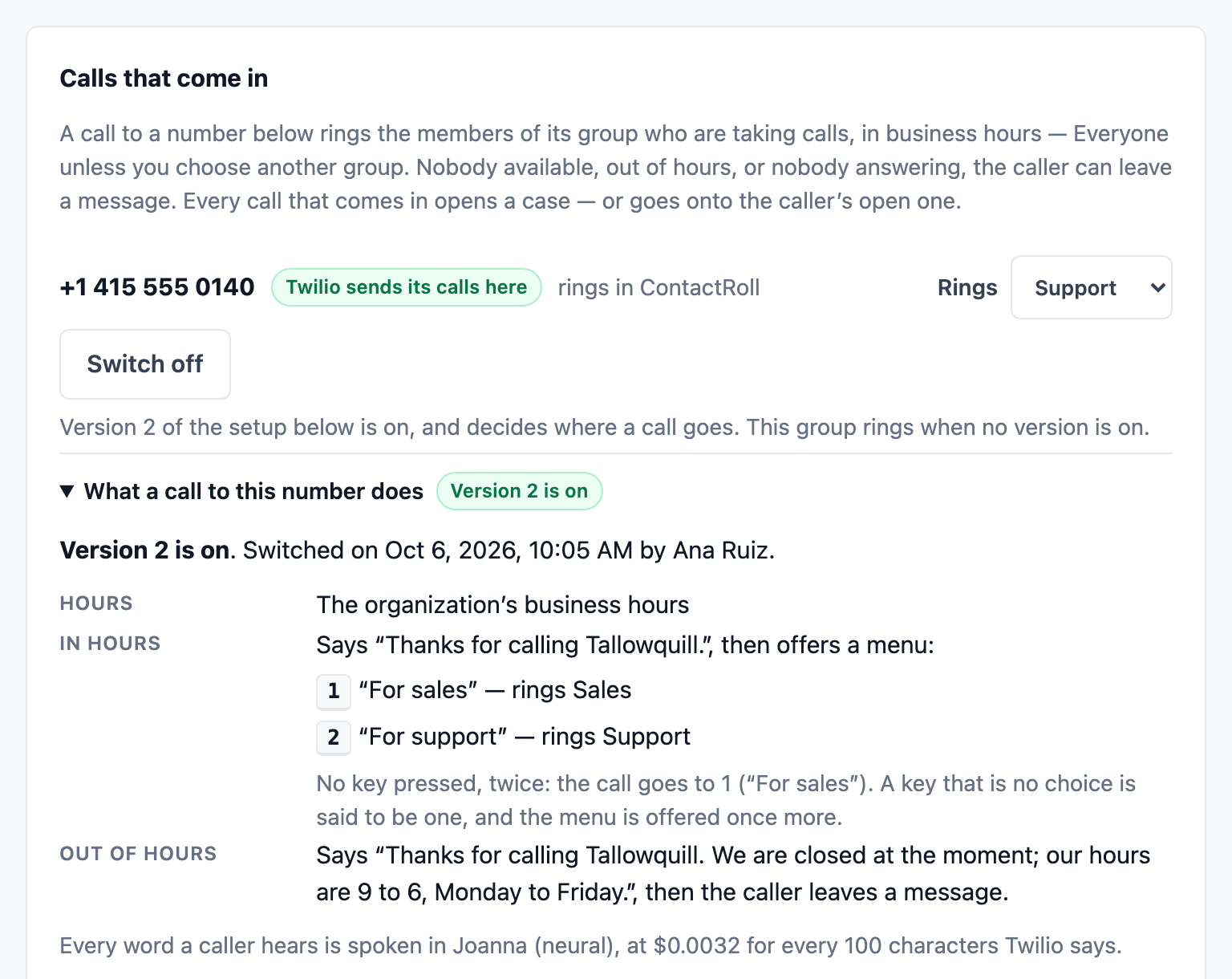
On the call
Hold and transfer
Put a caller on hold, then resume. Transfer to a member or a call group with a note; the case goes with the call and never splits in two.
Warm transfer
The caller holds while you explain the call to a colleague; then you complete the transfer or take the call back.
Recordings on the case
Play a recorded call on the case, the contact or the deal, at up to twice the speed. Every listen is recorded, and how long recordings are kept is your choice.
A call in the browser, on the customer’s record
The customer calls, you answer in your browser, and the call, its recording and your notes land on their case.

Talk to a colleague first
A warm transfer: the caller hears the hold music you choose while you speak to a colleague or a call group, then you complete the transfer, or take the caller back if they cannot help.
- The colleague’s browser rings with your note on it.
- If no one answers, the caller is still on hold with you.
- The case goes with the call, and the call’s entry says who spoke to whom.
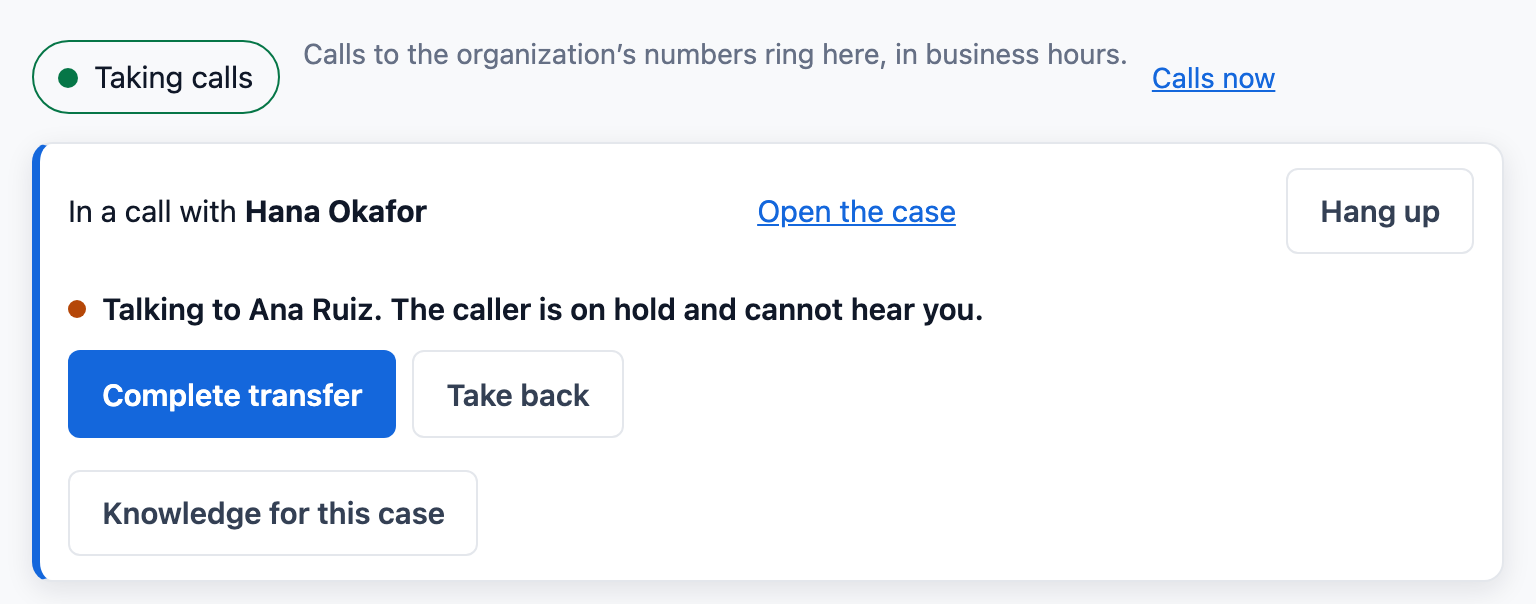
A live view of every call, and every recording
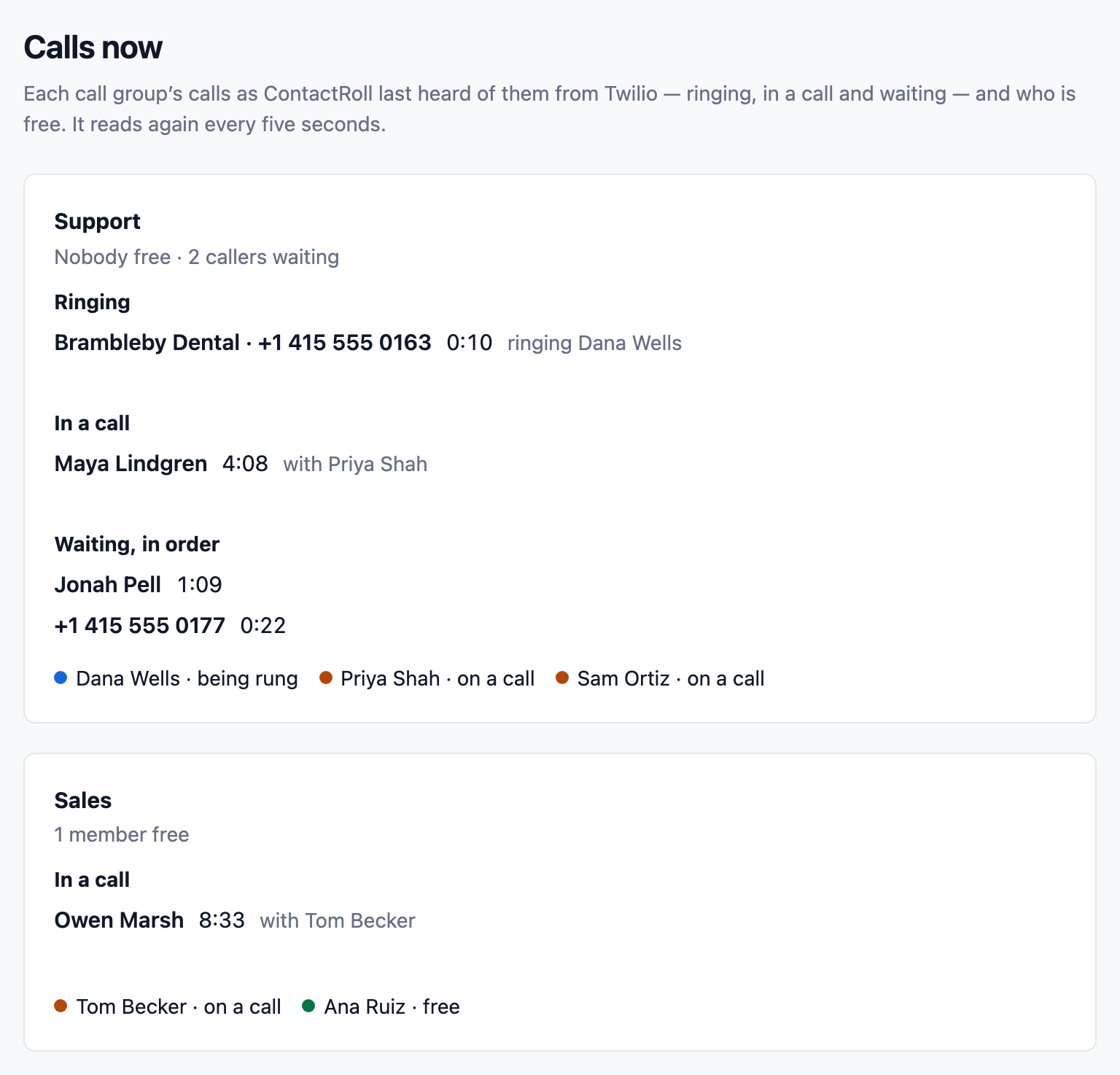
The live view shows each call group as it is: what is ringing, who is on a call, who is waiting in line and for how long, and who is free.
A recorded call has a player on its row, on the contact, the case, the company and the deal. Every listen is recorded, and downloads stay off until an administrator allows them.
What you need
A full Twilio account of your own, at least one number that takes voice calls, and the countries you call turned on in Twilio's settings. Members need a browser that allows WebRTC. ContactRoll connects with a Standard API key you create, creates one thing in your Twilio account (a TwiML App), and points the numbers you choose at it. If you also give it the account's Auth Token, it is kept sealed and used for one job only: checking that each request from Twilio really is Twilio's.
Calls placed from ContactRoll stop at a monthly cap of minutes your administrator sets. Calls that come in are never cut off, and your administrators are told when incoming calls go past it. ContactRoll's calling settings show what the month's calls come to at Twilio's published prices for US and Canadian numbers.
Where to go next
Pricing
What each plan includes, and what calls cost.
See pricingGuides
- How to choose a CRM with a built-in phone for a small business
- Using your own Twilio account for business calls
- Handling calls after hours as a small business
- How to route calls to the customer’s account owner
- How to set up a phone menu for a small business
- Telling callers a call is recorded
- Warm transfer vs cold transfer: which to use
- What is a ring group, and how should it ring?
- Phone menu script builder: fill-in templates for your greeting, menu and voicemail
Marketing
Campaigns, sequences and A/B tests.
Next: marketingQuestions
Who bills for the calls?
Twilio, directly. You connect your own Twilio account, Twilio bills it for every call and number, and ContactRoll adds nothing to those charges. You can set a monthly cap on minutes for the calls you place.
Do I need a desk phone?
No. Calls are placed and answered in the browser, on a computer with a microphone. ContactRoll rings any member who has said they are taking calls and has a ContactRoll page open.
Are calls recorded?
Only if an administrator switches recording on, and then every recorded call is announced first: “This call is being recorded.” Voicemails are always kept. The audio stays in your Twilio account.