Who it is for
ContactRoll for online shops.
Order questions arrive by email, the newsletter goes out every month, and the same few people do both. ContactRoll keeps customer email as a queue, puts your marketing email on a calendar where a person approves each piece, and keeps every customer on one record.
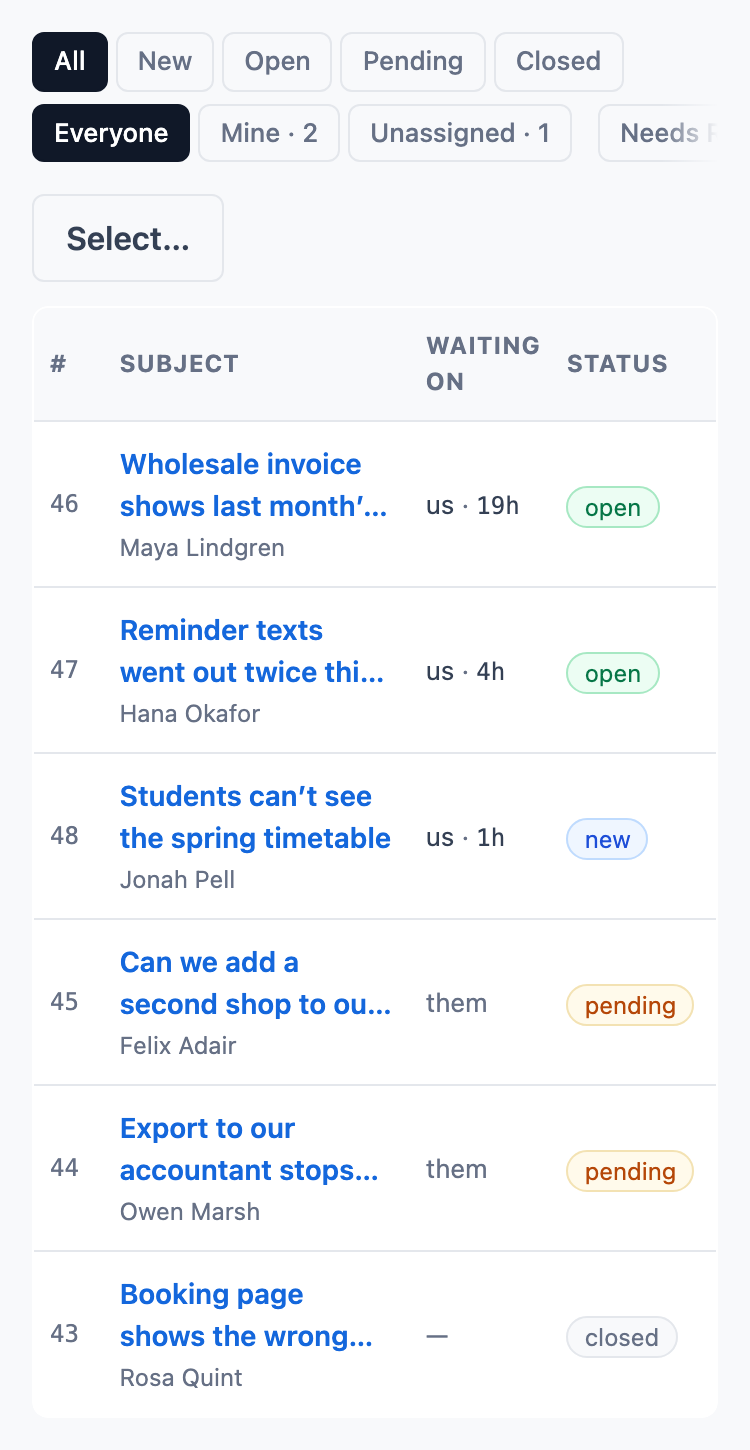
Customer email as a queue
Each new message opens a case, ready for someone to take, and what waits on you sorts to the top. Replies to and from the customer stay on one case.
- Saved replies for the questions you answer every day, with the customer’s first name filled in.
- Send a reply and close the case in one step, or snooze it until a time you choose.
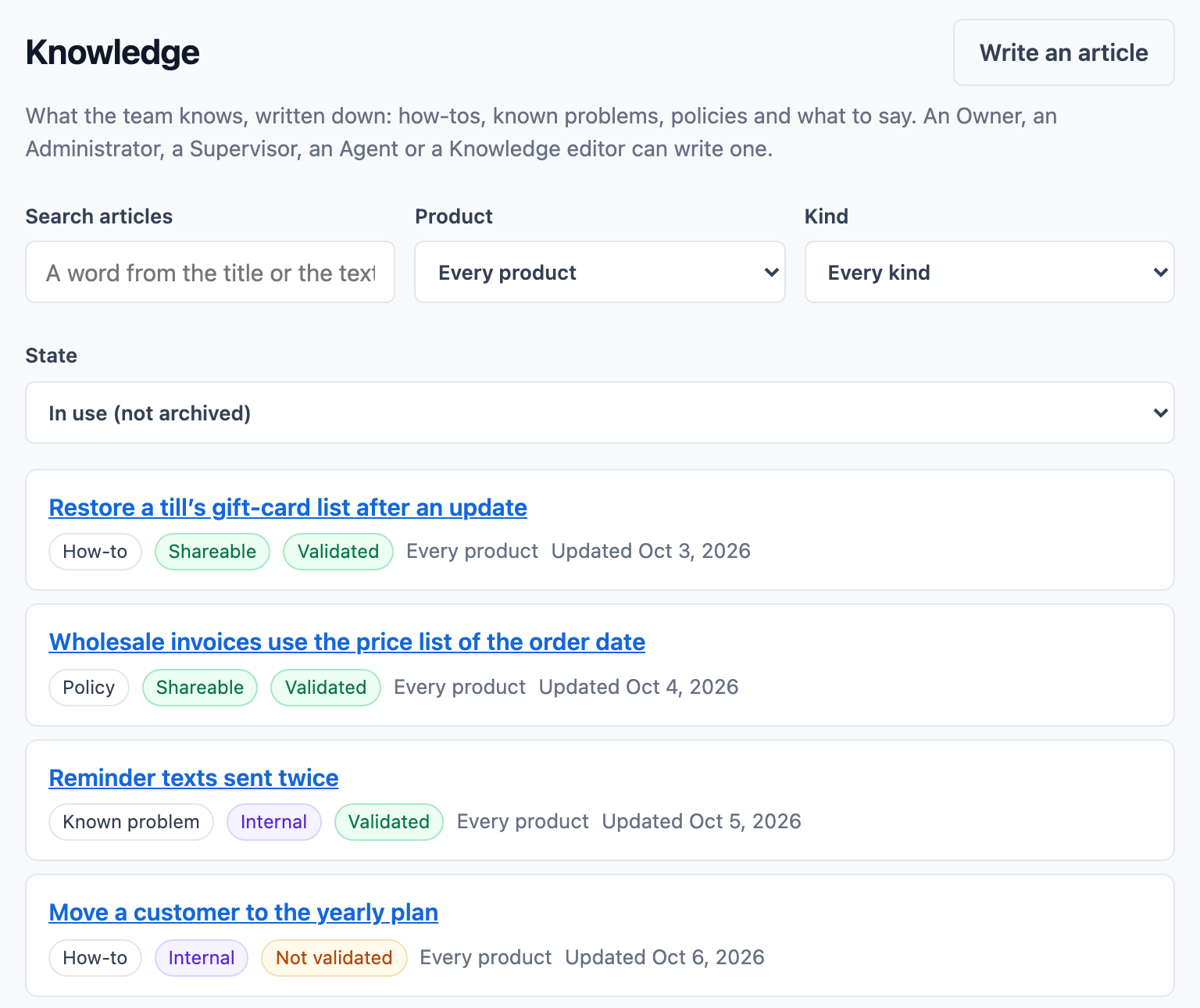
- Knowledge articles and a help center for the answers customers can find themselves.
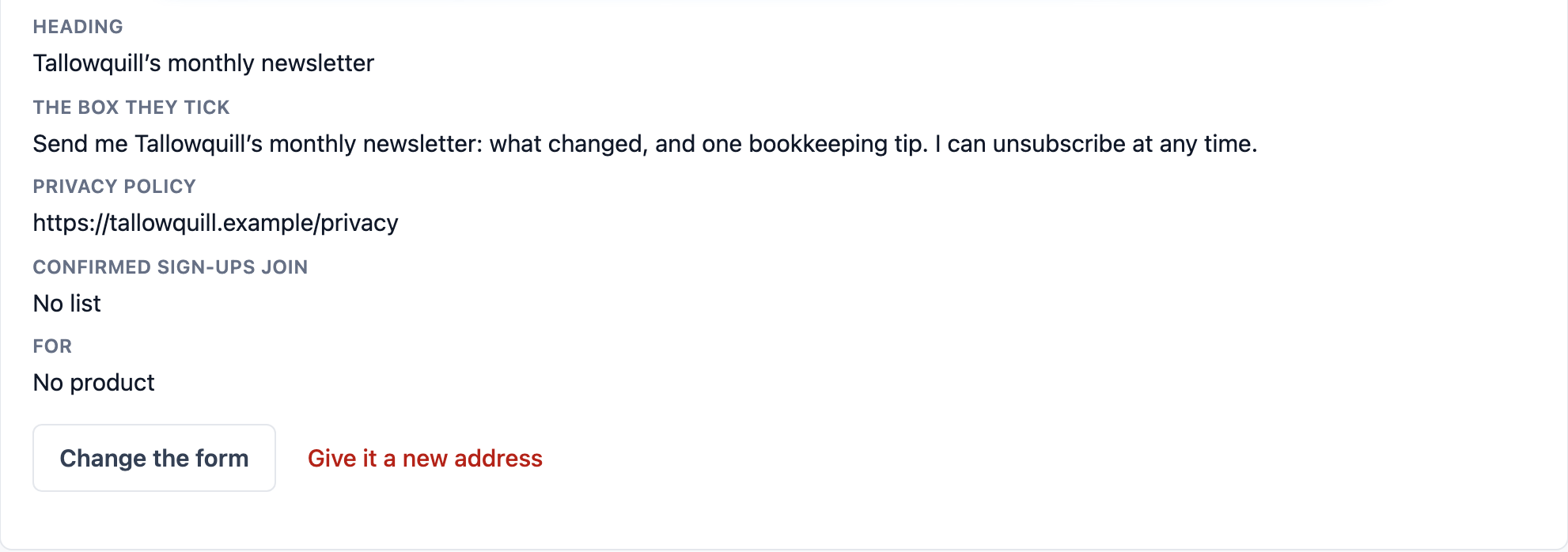
Sign-up forms that grow your list
A sign-up form can be a hosted page or a snippet you paste into your shop’s pages. Each address is confirmed by email before it joins your list, and the consent is recorded with the form, its wording and the time.
- A welcome series can start when someone confirms their sign-up.
- One-click unsubscribe in every marketing email, kept by address, so an import never undoes it.
- A weekly cap per person, and quiet hours where a person’s time zone is known.
Campaigns a person approves
Plan campaigns on a calendar, and a person approves each piece before it sends. A/B test a subject line, with the winner called by a written rule and sent to the rest.
- Marketing email goes only to people with a consent record: writing to support is not a sign-up.
- Each campaign shows its clicks and sign-ups.
- Standard holds 2,000 marketing contacts, and Plus holds 10,000.
Also for your team
Calls when customers phone
Calls through your own Twilio account ring whoever is free and land on the customer’s record.
One record of each customer
Their emails, calls, notes and every change sit on one timeline.
Notes and mentions
Ask a colleague on the case itself. Notes are never emailed to the customer.
Where to go next
Pricing
What each plan includes, and what calls cost.
See pricingGuides for your team
- Help desk vs shared inbox: which does a small team need?
- Support email templates: 15 replies for a small team
- Double opt-in email: what it is and how to set it up
- One-click unsubscribe: what Gmail and Yahoo ask of senders
- Should your CRM send your marketing email?
Comparisons
What five people would pay for the same at HubSpot, Zendesk, Pipedrive, Freshworks and Zoho.
See the comparisonsQuestions
Can our shop’s sign-up box add people to ContactRoll?
Yes. A sign-up form can be a hosted page or a plain HTML snippet you paste into your site. The person confirms their address by email, and their consent is recorded with the form, its wording and the time.
Will someone who emailed support get our newsletter?
Only if they agreed to it. Marketing email goes only to people with a consent record, and writing to support is not consent.
What happens past the marketing contact limit?
Nothing is added quietly. An import that would go past your plan’s limit is refused whole, with a sentence saying why, and moving to Plus raises the limit from 2,000 to 10,000.