Shared inbox
A shared inbox for small teams
One support address for the whole team, where every email becomes a case someone can take. Each case has one owner, so the team sees who is answering it, nothing sits in a personal inbox, and the queue says who is waiting on whom.
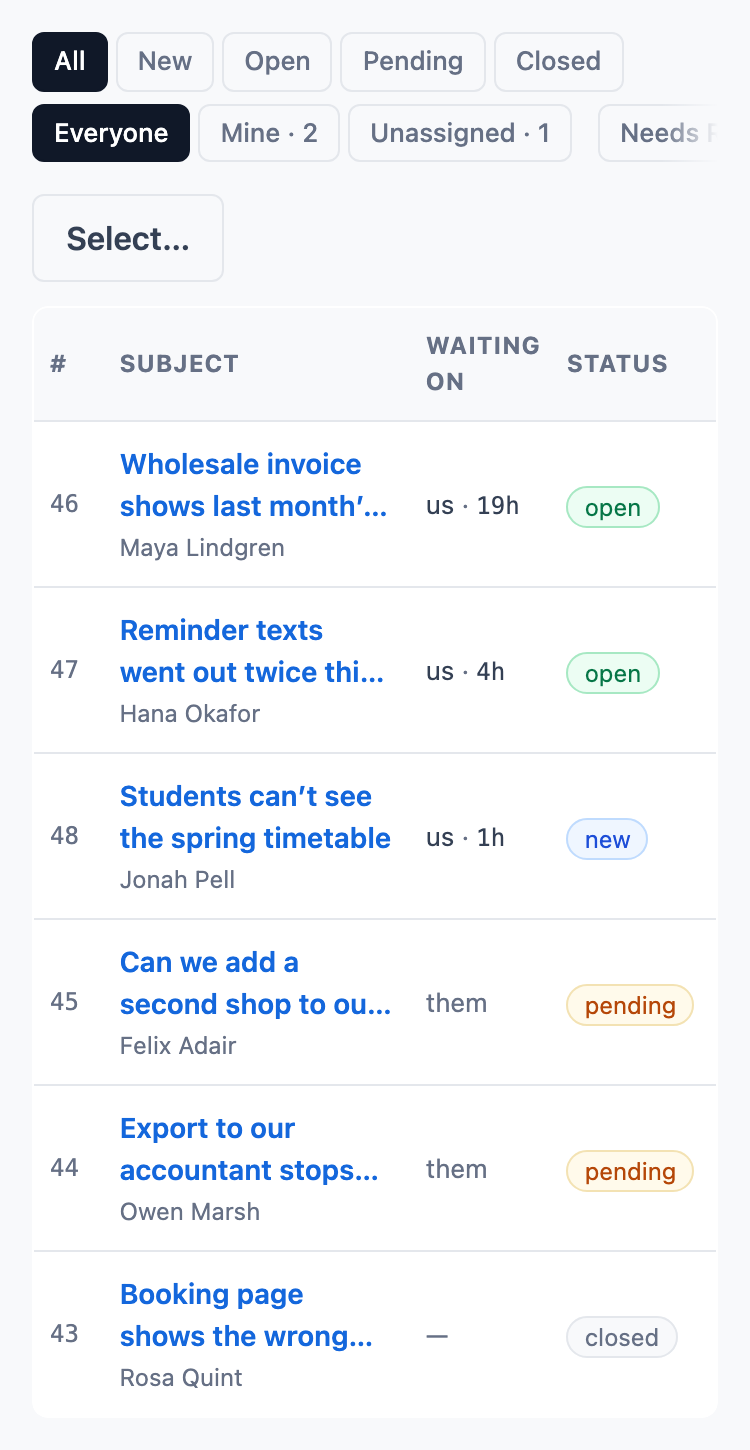
Every email a case, and every case an owner
Each new message opens a case, ready for someone to take, and what waits on you sorts to the top. Replies to and from the customer stay on one case.
- Send a reply and close the case in one step, or snooze it until a time you choose.
- Replies come from your organization’s support address, with your organization’s name beside it.
- Saved replies, with the customer’s first name, your name and the case number filled in.
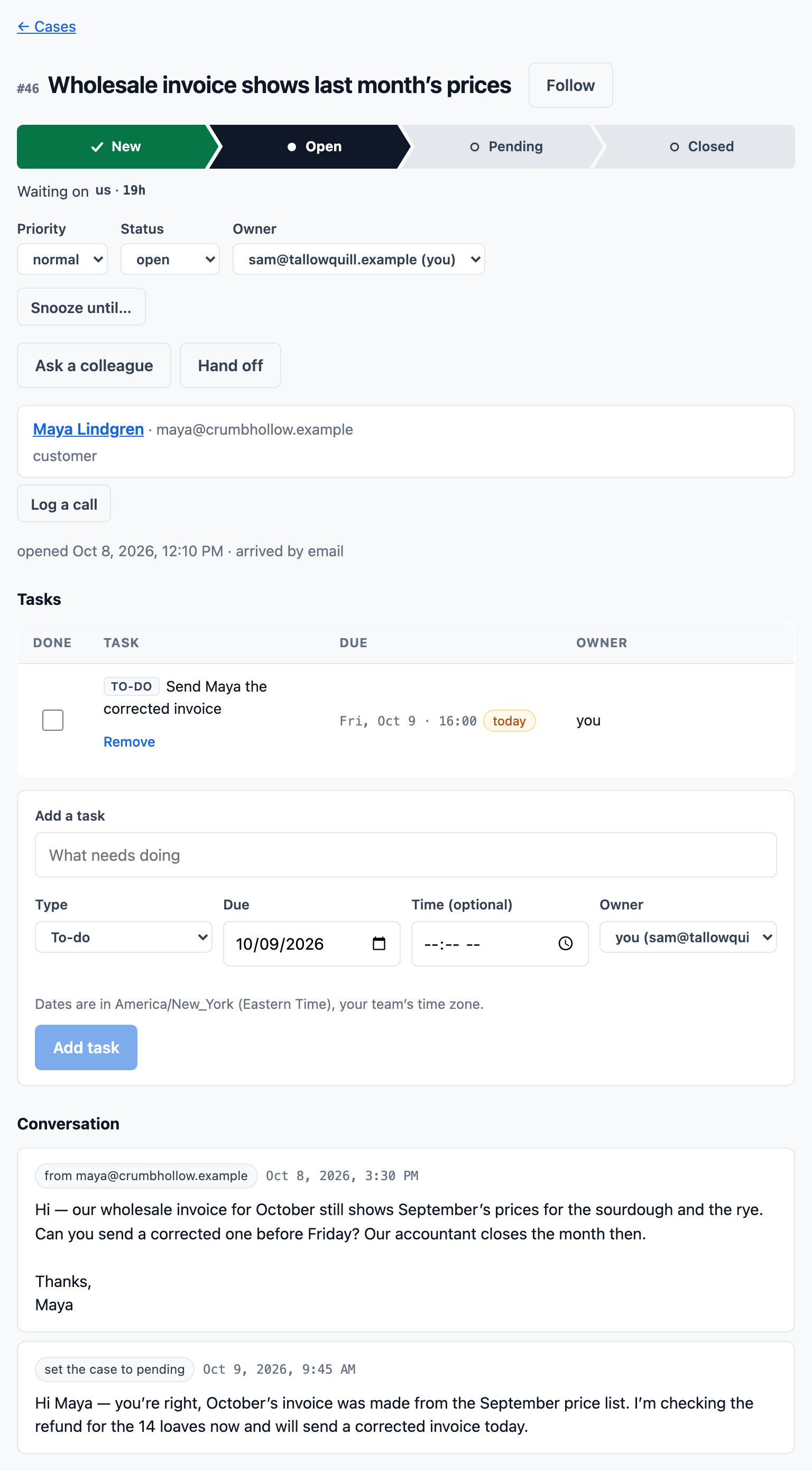
Ask a colleague on the case itself
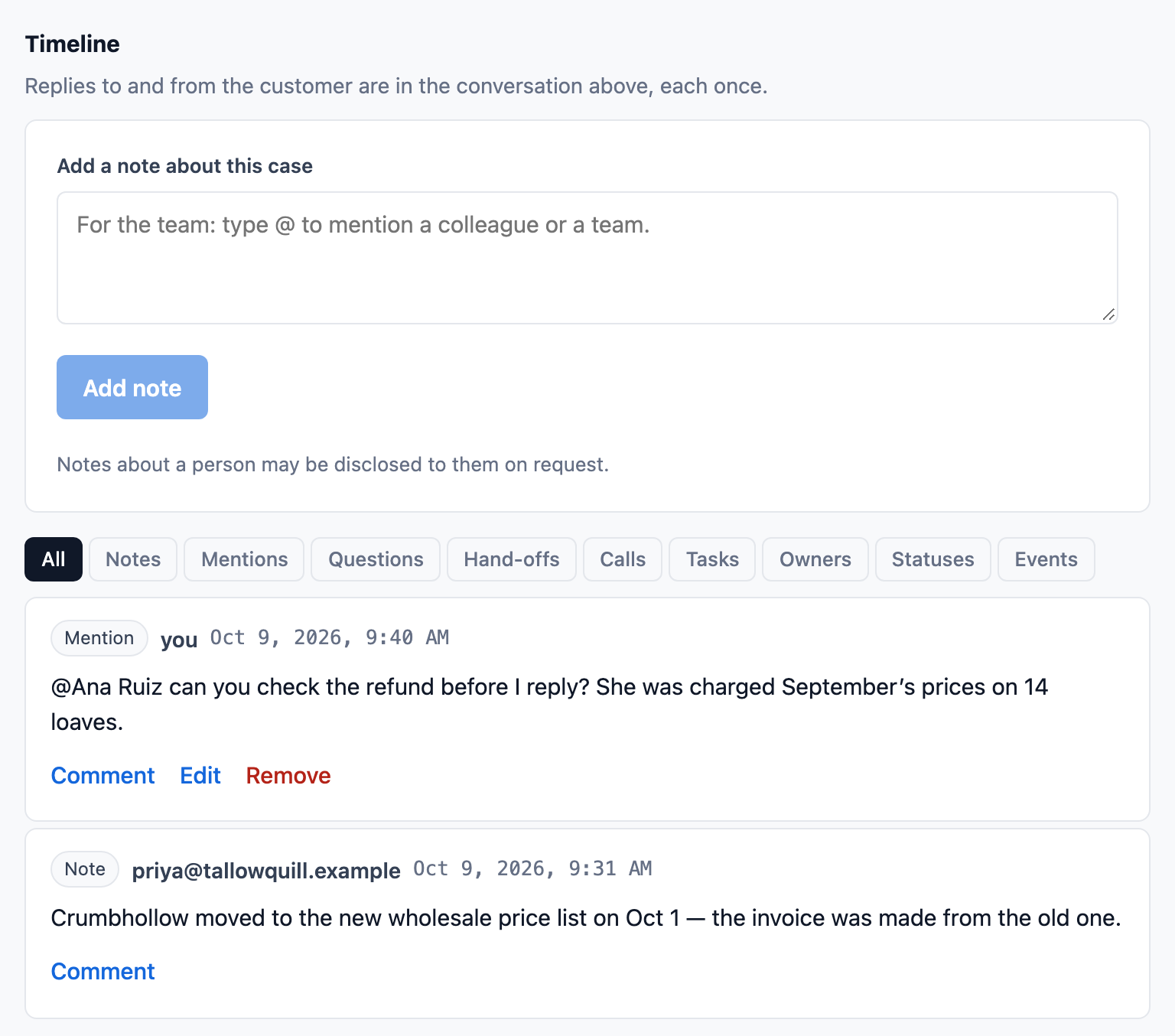
Write a note on a case and @mention the person who knows the answer, or hand the case off. Notes stay with the team.
- One page of everything you were asked or mentioned in.
- Hand off a case to a member or a team, with a note for them: they are told, with a link to your note.
Also in ContactRoll
Response-time targets
Set a target in business hours or days for the organization, a product or one support address, and see what is left on every case.
More than an inbox
The same product holds contacts, companies and deals, calls through your own Twilio account, and marketing email.
A help center
Each product can publish its validated articles, and a question asked there opens a case.
Questions
What is a shared inbox?
One address the whole team works from, where each email is visible to everyone and has one owner, so a customer gets one answer. In ContactRoll each email opens a case in a shared queue.
Can we keep our own support address?
Every organization has its own ContactRoll support address. Forward your existing address to it, and replies go out from your organization’s ContactRoll address, with its name beside it.
How is it different from a help desk?
A help desk adds cases with owners, statuses, targets and a knowledge base to the shared address. ContactRoll does both: every email is a case, in a queue the whole team shares.