Guide
How to write a knowledge base article, with a template
Every small support team types some answers again and again: how to add a user, where the invoice is, why a reminder never arrived. A knowledge base turns each one into a page that anyone on the team can find, check and send. Ten short articles that are true are worth more than a hundred nobody trusts.
Here are templates for the four kinds of article a small team needs, the rules and habits that keep them short and true, how to choose your first ten, and one three-person team’s first month.
Why short articles beat long ones
A short article beats a long one in three ways.
The answer is near the top. A customer with a broken booking page reads the title and the first sentence, then looks for the steps. Everything above the answer is in the way.
It can be checked in two minutes. When a button is renamed, someone has to reread every article that mentions it. Two hundred words get read properly. Two thousand get skimmed, and the one wrong sentence survives.
It can be sent as a reply. A link to a page that answers exactly what was asked reads as help, and it is quick to send when you are working to a target for how fast you reply. A link to a long manual reads as homework.
The four kinds of article most small teams need
Nearly every question in a small team’s inbox fits one of four kinds, and each has its own shape.
| Kind | What it answers | An example title |
|---|---|---|
| How-to | A task with steps | “How do I add a second staff member?” |
| Known problem | Something wrong, and its fix | “My reminder email never arrived” |
| Policy | A rule, and who it applies to | “Can I get a refund after I renew?” |
| Short answer | A question with a short answer | “Does it work on an iPad?” |
A template for each kind
Each template opens with the title as the customer’s question or task, and the answer in one sentence. Where there are steps, it says what to do if they did not work. Each ends with who to contact and a line naming the article’s owner, the date it was last checked and who it is for. Copy them into any tool.
How-to
Title: How do I [THE TASK, IN THE CUSTOMER'S WORDS]?

[ONE SENTENCE: what this does, and where to start.]

1. [Where to go, and what to press]
2. [The next step]
3. [The last step, and what the customer sees when it worked]

If it didn't work: [THE MOST COMMON REASON, AND ITS FIX]
Still stuck? [WHO TO CONTACT, AND WHAT TO SEND THEM]

Owner: [NAME] · Last checked: [DATE] · For: [customers / the team]
Known problem
Its middle follows the article structure in the Consortium for Service Innovation’s KCS v6 Practices Guide (read October 10, 2026): the issue in the customer’s words, the environment, the resolution and, where it fits, the cause.
Title: [WHAT THE CUSTOMER SEES GO WRONG, IN THEIR WORDS]

[ONE SENTENCE: the fix, or "We know about this and are fixing it."]

What you see: [THE SYMPTOM, AND ANY ERROR MESSAGE WORD FOR WORD]
Where it happens: [THE PLAN, VERSION, BROWSER OR DEVICE]
How to fix it:
1. [Step]
2. [Step]
Why it happens: [THE CAUSE, OR "We're still finding out."]

If it didn't work: [WHAT TO TRY NEXT]
Still stuck? [WHO TO CONTACT, AND WHAT TO SEND THEM]

Owner: [NAME] · Last checked: [DATE] · For: [customers / the team]
Policy
Title: [THE RULE, AS CUSTOMERS ASK ABOUT IT]

[ONE SENTENCE: the answer, with yes or no first.]

Who it applies to: [PLANS, CUSTOMERS OR COUNTRIES]
The rule:
- [CONDITION]
- [CONDITION]
Exceptions: [WHO MAY MAKE ONE, OR "None."]
How to ask: [WHAT TO DO, AND WHO TO CONTACT]

In effect since: [DATE]
Owner: [NAME] · Last checked: [DATE] · For: [customers / the team]
Short answer
Title: [THE QUESTION, AS CUSTOMERS ASK IT]

[THE ANSWER, IN ONE OR TWO SENTENCES.]

[ONE LINE OF DETAIL, OR A LINK TO THE HOW-TO THAT GOES FURTHER.]

Still stuck? [WHO TO CONTACT]
Owner: [NAME] · Last checked: [DATE] · For: [customers / the team]
Rules for writing them
- One task or one question per article. If the title needs “and”, it is two articles: “How do I cancel, and do I get my money back?” is a how-to and a policy.
- The customer’s words in the title. Title it “I can’t sign in”, not “Authentication troubleshooting”. The KCS guide notes (read October 10, 2026) that a customer’s own words and phrases help the next person find the article, even when their idea of the problem is wrong.
- Numbered steps, one action each. Name every button exactly as it reads on screen.
- Screenshots sparingly. Use one where a control is hard to find. Each goes out of date when the screen changes, and nobody can search the words in it.
- An owner and a date on every article. The owner fixes it when it is wrong; the date says when it was last checked against the product.
- A review on a schedule. Every six months suits most articles. Review a policy when the rule changes, and a known problem when its fix ships.
- Nothing about one customer. Leave out names, email addresses and account numbers, even in an internal article.
How to choose your first ten from your inbox
Start from last month’s questions, not a list of topics. If every support email already becomes a case with one owner, as in how a small team should handle support email, last month’s cases are the list.
- Open last month’s support email, or the last hundred cases.
- Write each customer’s question in one line, in their words. Skip thank-yous and one-off requests.
- Group the lines that ask the same thing, and count each group.
- Keep every group you answered three times or more. Those questions will come back.
- Write the ten biggest first, each starting from the best reply someone already sent.
- Make the person who wrote that reply its owner.
Keeping articles true
A wrong article does more harm than none, because people send it with confidence.
One owner per article. Make it a person, not a team, and send them every report that it is wrong. When someone leaves, give their articles to someone else that week.
A review date. When it comes due, the owner rereads the article against the product, then fixes it or dates it as checked.
A way for anyone to flag one as wrong. One line is enough: “The button is now called Export.” Flagging must be quicker than ignoring the problem, and the flag must reach the owner, not a channel where everyone assumes someone else saw it.
Fix articles the day the product changes. Before you rename a screen or change a price or a policy, search your articles for the old words.
Then watch the searches that find nothing. Each one is a question waiting for an article.
Internal and shareable articles
Some of what your team knows is for the team only: how to issue a refund in the payment system, a workaround only staff should try, what to say about an outage while you are still finding the cause. The rest is written to the customer, and is safe to send or publish.
Decide which an article is when you write it, and mark it at the top. An internal article can say “check their plan on the admin page”; a shareable one cannot, because the customer has no admin page.
Never paste an internal article into a reply. If a customer needs part of it, write a shareable version in your own words. And publish a shareable article only after someone other than its writer has checked it.
A worked example: Brindlecove’s first ten articles
Brindlecove is a made-up company that sells online booking software to dog groomers. Three people answer its support email, about 300 messages a month: Maren, who leads the team, and Anselm and Ade.
In early September they read August’s email, one line per question. Ten questions came up three times or more, 72 times between them:
| The question, in their words | Asked | Kind |
|---|---|---|
| How do I add a second groomer? | 14 | How-to |
| My client says the reminder never arrived | 11 | Known problem |
| Can I switch to paying yearly? | 9 | Short answer |
| Can I get a refund? | 8 | Policy |
| How do I import my client list? | 7 | How-to |
| The deposit isn’t showing on a booking | 6 | Known problem |
| Does it work on an iPad? | 5 | Short answer |
| How do I block out a day off? | 5 | How-to |
| What happens to my data if I cancel? | 4 | Policy |
| Can you refund my client’s deposit? | 3 | How-to, internal |
Each article went to whoever had answered its question most. Only staff can refund a deposit, so the last one is internal: its steps are for the team, and the groomer gets a saved reply.
Anselm wrote the reminder article first, from the reply he had sent most often:
Title: My client says the reminder never arrived

Reminders go out 24 hours before each appointment. When one doesn't arrive, the cause is almost always the client's email address or their spam folder.

What you see: The client had no reminder, but the booking says "Reminder sent".
Where it happens: Every plan, most often with work email addresses.
How to fix it:
1. Open the booking and check the client's email address for a typo.
2. Ask the client to search their spam folder for "Brindlecove".
3. Ask them to add reminders@brindlecove.example to their contacts.
4. Press "Send reminder" on the booking.
Why it happens: Some email services file automatic messages as spam until the reader marks one as not spam.

If it didn't work: Send us the client's email address and the booking date, and we'll check our sending log.
Still stuck? Reply to any email from support@brindlecove.example.

Owner: Anselm · Last checked: September 8, 2026 · For: customers
It took him twenty minutes. Maren checked it before it went into their help center and set its review for March. Three weeks later the button was renamed “Send again”. Ade flagged the article in one line, and Anselm fixed step 4 that afternoon.
How ContactRoll does it
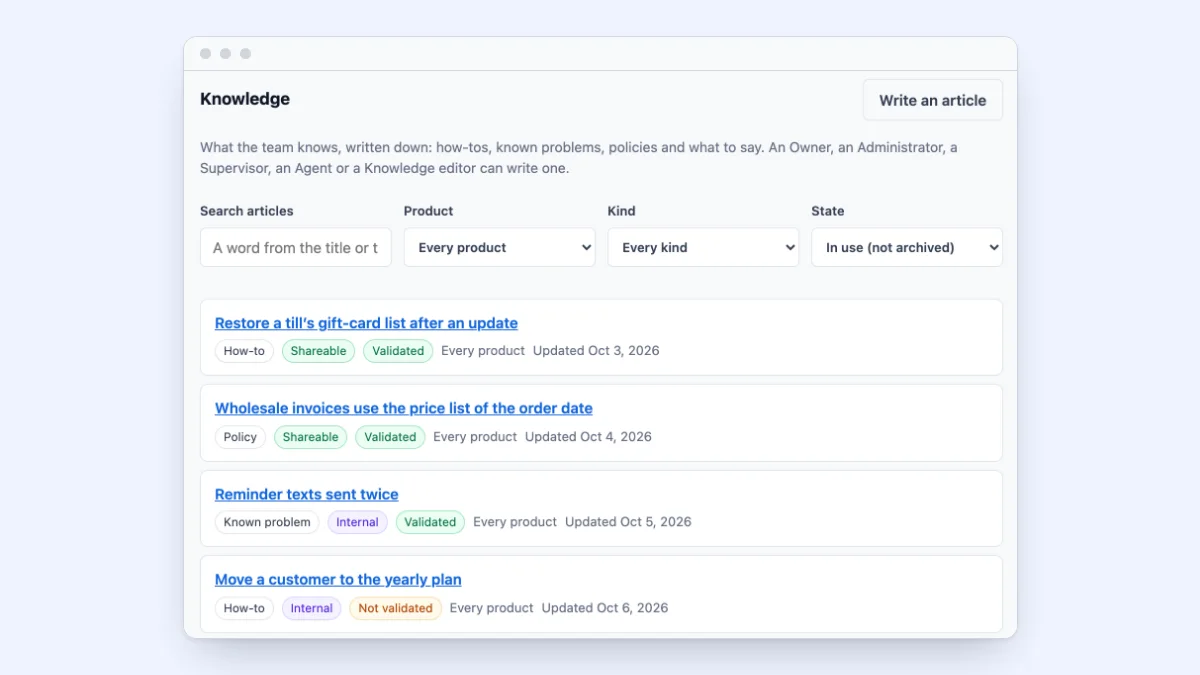
In ContactRoll, articles come in four kinds: how-to, known problem, policy and what to say. Each article is internal or shareable, and only validated articles appear in the help center. On a case, the knowledge panel suggests articles from the case’s own words and puts a shareable one into your reply, and an email to a customer that quotes an internal article is refused. Anyone who may write articles can flag one as wrong, and every article in use comes due for review on a clock; both give a task to whoever looks after the article. An article can be written from a case, starting from the case’s subject and the last reply a person sent the customer, and the articles page shows how articles are used, including the searches that found nothing. You can start free, with no card.
Questions
What should a knowledge base article include?
A title in the customer’s own words, the answer in the first sentence, numbered steps if there is something to do, what to try if it did not work, and who to contact. Add the name of the person who keeps it up to date and the date it was last checked.
How long should a knowledge base article be?
Long enough to answer one question or finish one task, and no longer. If it needs a second topic, make that a second article. Most good articles fit on one screen.
Which knowledge base articles should a small team write first?
The answers you sent three or more times last month. Read a month of support email, write each question in one line in the customer’s words, count the repeats, and write the ten most common first.