Guide
A CRM with custom objects for a small team
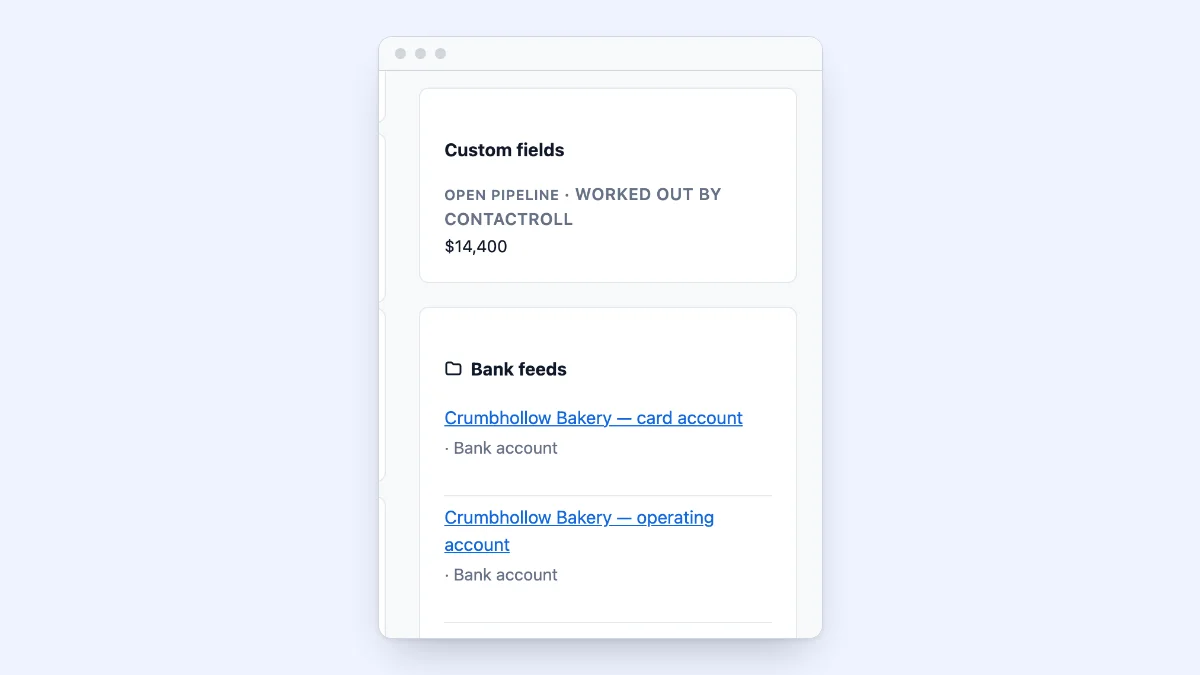
Every CRM comes with contacts, companies and deals. Sooner or later most teams keep something else as well: the properties a letting agent manages, the vehicles a fleet company services, the subscriptions a software company sells, the bank accounts a bookkeeping product reads. A CRM with custom objects lets you add that thing as a record type of its own.
This guide is for a team of 10 to 25 deciding whether it needs custom objects, what to ask a vendor, and what each one charges for them. Every vendor fact is from the vendor’s own pages, read on October 31, 2026, and linked where it is said. I build ContactRoll, which is one of the products below, so its section gives its numbers as plainly as the others’.
Do you need custom objects at all?
Most teams that ask for custom objects need something smaller. Ask three questions about the thing you want to track.
Does one customer have several of it? A company with one contract renewal date needs a date field on the company, not a contract record. A company with four properties, each with its own address and inspection date, needs a record for each property.
Does it have details of its own? If all you need is a name, a tag or a dropdown on the contact will do. If each one has a status, an owner, a date and a value, it is a record.
Will you list it, filter it or report on it? “Which bank feeds have needed a sign-in for more than a week?” is a question about a record type. If nobody will ever ask it, keep the detail in a note.
Two yeses usually mean a custom object. One usually means a custom field.
What to ask before you buy
Which plan has them, and how many? Vendors put custom objects on very different plans, and some cap how many types you may make. The table below has what each vendor’s own page said.
Can a record link to more than one thing? A property belongs to a landlord and a tenant; a bank account belongs to a company and is looked after by one person there. Check that a record can link to contacts, companies and deals, and that a link can say what role it plays.
Can a record point to another, and total what is linked? Lookup fields (this deal was referred by that customer) and roll-up fields (this company has $14,400 of open deals) are what make related records useful without a spreadsheet beside the CRM.
Can every part of the CRM use them? A custom object that cannot be searched, imported, put in a report or hidden from some roles is a list, not part of your CRM. Ask about each.
Who can see them? If sales should see properties and support should not, check that access can be set per record type and per field.
Which plan has custom objects
Each row is from the vendor’s own page, read October 31, 2026. Prices change; the pages are linked so you can check them.
| Vendor | Custom record types | Roll-up fields |
|---|---|---|
| HubSpot | Enterprise editions of every hub, including Sales Hub and Smart CRM (HubSpot’s knowledge base); the number depends on the subscription | Calculation and rollup properties on Sales Hub and Smart CRM Professional and Enterprise (HubSpot’s knowledge base) |
| Zoho CRM | Custom modules: none on Free, 10 on Standard, 25 on Professional, 200 on Enterprise, 500 on Ultimate (Zoho’s edition comparison) | Rollup summary fields from Professional, 2 a module there (the same page) |
| Zendesk | Custom objects: 3 on Suite Team, 5 on Suite Growth, 30 on Suite Professional (Zendesk’s help center) | Not mentioned on the pages read |
| ContactRoll | Up to 5 record types on Plus, each with up to 50 fields and 100,000 records (pricing) | On every plan, Free included (custom fields) |
We could not confirm custom objects for Pipedrive or for Freshdesk’s Support Desk plans from their own pages on the day, so they are left out rather than guessed.
The table says when you can have them, not how deep they go. Zoho and Zendesk let a team make many more types than ContactRoll does. If you need dozens of record types, that matters more than the price.
How ContactRoll does it
ContactRoll is a CRM, a help desk and a phone system in one product, built for teams of 10 to 25.
- Record types of your own, on Plus: up to 5, each with up to 50 fields and 100,000 records. An Owner or Administrator names one, picks an icon and says what its name field is called. Each has a list with saved views and boards, a page with notes and a timeline, search, duplicate merging, import from a CSV file and export.
- Links with roles, between a record and contacts, companies, deals and cases, shown on both sides. On every plan, a contact can belong to several companies, with a role at each.
- Lookup, calculated and roll-up fields on every plan: a deal’s “Referred by”, its value a seat, a company’s total of open deals.
- Reports across linked records, such as cases grouped by the stage of their deal, and access per role: who may see, add, change and delete each record type, and which fields each role sees.
- The API and webhooks on Plus cover record types too.
It is built for a handful of record types, not dozens: at most 5, each linking to contacts, companies, deals and cases rather than to a schema you draw, on Plus. A team that needs many types, or relations several levels deep, should look at the higher editions of the vendors above.
Custom objects in ContactRoll shows each part with screenshots.
Getting started with one record type
- Write down the one thing you most often keep in a spreadsheet beside your CRM.
- List its fields, and mark the one or two you would filter by. Those are its dropdowns.
- Decide what it links to, and what role each link plays.
- Make the type, add five real records by hand, and use them for a week before you import the rest.
- Then add the roll-up the team keeps asking for, such as how many of them each company has, or how many need attention.
A record type that is used every day is worth more than five that were made in one afternoon.
Questions
What is a custom object in a CRM?
A record type the CRM did not come with, made by your team, such as properties, vehicles, subscriptions or equipment. It has its own fields and its own list, and it links to the contacts, companies and deals it belongs to.
Does a small team need custom objects?
Only when something you track has its own details, several of it belong to one customer, and you need to find, filter or report on it. If one field on the company would do, a custom field is enough.
Which CRMs have custom objects on a small team’s plan?
It varies a lot. On their own pages, read October 31, 2026: HubSpot puts custom objects on its Enterprise editions; Zoho CRM has custom modules from its Standard edition; Zendesk has custom objects from Suite Team, 3 of them; and ContactRoll has up to 5 record types on Plus.
What is the difference between a lookup field and a roll-up field?
A lookup field links one record to another, such as a deal to the customer who referred it. A roll-up field works out a number from the records linked to it, such as a company’s total of open deals.