Guide
How to measure a support team of 10 to 25
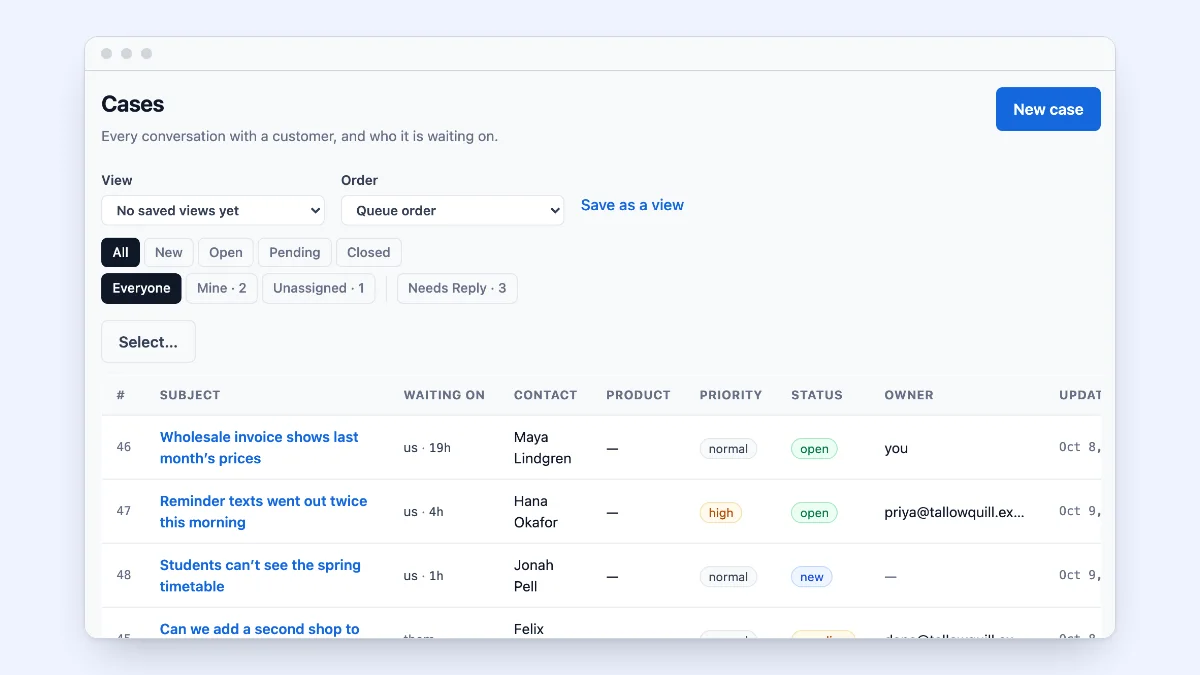
A support team of five knows how it is doing by looking at the inbox. At fifteen, the inbox is too big to read and the numbers have to say it. This guide sets out the five numbers worth tracking for a team of 10 to 25, how to count them so they mean something, and what to do when one moves.
1. Time to first reply, in business hours
How long a customer waits for the first answer from a person. Count it in your team’s business hours, not on the clock: a message that arrives on Friday evening and is answered first thing Monday was answered promptly.
Set a target per priority: an urgent case should have a shorter target than a question about an invoice. Look at the share of cases that met it, not only the average, because one very slow case can hide behind many quick ones.
2. Missed targets, worst first
The cases that missed their first-reply or next-reply target, sorted by how far they missed. This list is where a weekly review starts: each one is a customer who waited longer than you meant them to, and the reason is usually one of a few: nobody owned it, it came in outside hours, or it needed someone else’s answer.
3. What is waiting on you, right now
Not a report but the queue itself: how many cases are waiting on a reply from your team, and how long the oldest has waited. A case waiting on the customer is not your backlog. A queue that shows the difference saves the team from chasing cases that are not theirs to move.
4. Satisfaction when a case closes
One question, sent when a case closes: how did we do, from 1 to 5. Keep it to one question so people answer it. Read the low scores one by one; the average matters less than the cases behind it.
5. The articles that help, and the searches that find nothing
Which help articles are used on cases, which ones readers marked as not helpful, and which searches found nothing. A search that finds nothing is an article waiting to be written.
Measure by person and by team, carefully
The same numbers by team member show who is overloaded and who has room. Use them to balance the work, for example by giving new cases out by turns or to the least busy member, not to rank people. A person who takes the hard cases will have slower times.
A weekly rhythm
- Daily: the queue. What is waiting on us, and the oldest case.
- Weekly: time to first reply against target, the missed-targets list, low satisfaction scores, searches that found nothing.
- Monthly: the trend of each, and one change to try.
Send the weekly report to the team by email, so nobody has to remember to open it.
Where ContactRoll fits
ContactRoll counts reply targets in your business hours, with first-reply and next-reply targets per priority and per support address, and shows a countdown on every case. The queue says who each case is waiting on, your team or the customer, and for how long. The Support report covers any dates up to a year apart for everyone, a team or one member, and lists the cases that missed their targets, worst first. A one-question survey goes out when a case closes, with the score on the case and in the report. The Knowledge measures show which articles are used and which searches found nothing. Any saved report can be emailed weekly or monthly, and each person sees only the records they can reach.
These are on every plan, Free included: see every feature and the plans.
Questions
What support metrics should a small team track?
Five are enough to start: how long customers wait for a first reply, in business hours; how many cases missed their reply target; how many cases are waiting on the team right now and for how long; customer satisfaction when a case closes; and which help articles are used and which searches find nothing.
Should response time be counted in business hours?
Yes, for a team that does not work around the clock. A message that arrives at 6 PM on Friday and is answered at 9 AM on Monday was answered at the start of the next business day; counted on the clock it looks like a 63-hour wait, which says nothing useful.
How often should a small team look at its support numbers?
The queue every day; reply times, missed targets and satisfaction once a week; trends once a month. A weekly email of the report saves anyone from having to remember.