Guide
Should your CRM send your marketing email?
Most small businesses keep the same people in two places. The CRM holds customers: who they are, what they bought, what they asked. A separate email tool holds the newsletter list, and somebody copies people from one to the other, usually on a Friday afternoon.
This guide asks whether the CRM should send the marketing email instead, with a method that works whichever tools you compare.
The two setups
Setup A: a CRM and a separate email tool, kept in sync. Customers live in the CRM. The newsletter list lives in the email tool, which also sends the welcome emails. Subscribers arrive through the email tool’s own sign-up form, by an export from the CRM and an import, or through a connector.
Setup B: one tool that holds the customers and sends the email. Each person’s record says whether they agreed to marketing email, and the newsletter goes out from the same place the team answers customers.
Setup A is how a small business tends to grow: the CRM first, the newsletter later. Its real cost is not the second subscription but keeping two lists in agreement.
What two lists cost a small team
Keeping them in sync. Every customer who agrees to the newsletter has to reach the email tool, and every changed address or unsubscribe has to come back. By hand, that is an export and an import every week. With a connector, someone has to watch it, because a sync that quietly stopped looks just like one that works.
Unsubscribes that do not travel. A person unsubscribes, and the email tool marks them. The CRM does not know. The next time someone sends an offer to “everyone on the newsletter” from the CRM, that person is mailed again. In the United States, that is an opt-out not honored (see the legal basics below).
A support contact mailed by mistake. Someone exports “all contacts” to top up the list, and the export includes everyone who ever wrote to your support address. The newsletter reaches a man who emailed once about a refund. He never asked for it, and he is the reader most likely to mark it as spam.
The questions that decide it
Seven questions settle it for most small teams. Answer them from the last three months.
- Do you mail your customers or strangers? If most of your list are customers or people who asked about your service, they already live in your CRM. If most will never buy, such as a blog’s readers, a separate tool keeps them apart from your customer records.
- How often do you send? A monthly newsletter and one or two automatic series are light work for one tool. Several designed campaigns a week, to many lists, suit a tool built for nothing else.
- Does a person approve each send? A newsletter sent to the wrong list cannot be called back. Check that one person can draft and another approve, and that what was approved is exactly what goes.
- Can you show what each person agreed to, and when? A consent record answers “why are we emailing this person?” It belongs on the record your team works from, so it moves with the person.
- Should emails start from what a customer does? A welcome series that stops when someone books needs to know they booked. If bookings live in the CRM and the email goes from another tool, each booking must be copied across first.
- Do you need results per campaign? Clicks are easy to count anywhere. Whether an email brought sign-ups, bookings or revenue is known where the customers are; with two tools, someone matches them by hand.
- How many contacts, and what does that cost? Many email tools price by the size of your list, and a CRM that sends email may cap marketing contacts by plan. Price both at today’s list and next year’s.
For the wider CRM choice, see how to choose a CRM for a small team and the small-team CRM buying checklist.
A support contact is not a marketing contact
Once customers and subscribers share one tool, it is tempting to mail everyone in it. Don’t. A person who wrote to your support address gave you their email so you could answer them, not so you could send them offers.
Keep two facts apart on every record: that someone is a contact, and that they agreed to marketing email. Only the second puts a person on a list, and it comes with a record:
- What: the exact words beside the box they ticked.
- When: the time they signed up and the time they confirmed.
- How: the form or page they used.
- Withdrawn: the date they unsubscribed, if they did.
A confirmation email shows the address belongs to the person who signed up; double opt-in explains how to set one up. A customer who wants your newsletter can sign up like anyone else.
The legal basics
This is not legal advice. Rules differ by country and change, so treat this as where to start reading, and ask a lawyer if you are unsure.
In the United States, the Federal Trade Commission’s CAN-SPAM Act compliance guide for business (read October 11, 2026) says the law “doesn’t apply just to bulk email” and that it makes no exception for business-to-business email. Its requirements include:
- No false or misleading header information, and no deceptive subject lines.
- Identify the message as an ad.
- Include your valid physical postal address.
- Tell people how to opt out. A menu of message types is allowed, but it must include an option to stop all marketing messages from you.
- Honor an opt-out within 10 business days, and keep the way to opt out working for at least 30 days after you send.
- Opting out must be free, need nothing but an email address, and take no more than a reply or a visit to one web page.
- Do not sell or transfer the address of someone who opted out.
- You stay responsible for email others send for you.
The guide puts the penalty at up to $53,088 for each separate email in violation. The opt-out is from you, not from one tool, so an unsubscribe recorded in the email tool also has to stop an offer sent from the CRM. None of the requirements is a person’s permission before the first email, but consent is still the better habit.
If any of your buyers are in Europe, the consent rules are stricter. Read them before you send, starting with the European Union’s official Your Europe page on data protection and online privacy (read October 11, 2026).
A worked example: a five-person dog-training school
Pipwhistle Dog Training is a made-up school with five people: Elodie, who owns it and trains; three trainers, Cosimo, Signe and Barnaby; and Iris, who runs bookings and the inbox. Dog owners book classes and write in about rescheduling, refunds and dogs that pull on the leash.
A monthly newsletter goes to about 1,500 people, with class dates and one training tip. A three-email welcome series goes to anyone who signs up on the website: a welcome, a first tip, and an invitation to book a first class. After unsubscribes, the list grows by about 50 people a month.
Here is one month in each setup, in Iris’s and Elodie’s own estimates:
| The month’s job | Setup A: two tools | Setup B: one tool |
|---|---|---|
| New subscribers from bookings onto the list | Export and import every Friday: 80 minutes | None: the box ticked at booking is on the person’s record |
| Unsubscribes back to the CRM | Copied by hand every Friday: 40 minutes | None: the unsubscribe is on the same record |
| Checking the list before the newsletter | Comparing two lists: 45 minutes | Reading who it goes to: 10 minutes |
| The welcome series | Four people who had booked were invited to book; answering them: 15 minutes | The series stops when the person books |
| Approving the newsletter | Elodie reads it: 15 minutes | Elodie reads and approves it: 15 minutes |
| Results | Matching clicks to bookings by hand: 60 minutes | Reading the campaign’s results: 10 minutes |
| Total | 4 hours 15 minutes | 35 minutes |
The difference is about 44 hours a year. Setup A also had two near misses that month:
- An unsubscribe that did not travel. A client unsubscribed from the newsletter in March. In April, Elodie sent a spring offer to everyone marked “newsletter” in the CRM, and the client got it.
- Support contacts on the list. Iris found 38 people who had only ever written in about a booking or a refund, swept in by an “all contacts” export the summer before.
In setup B, every send goes only to people with consent and no unsubscribe, so neither mistake has a second list to happen in.
Setup B had costs too: a day of Iris’s time to move the list, each person’s consent record with it, and giving up email templates Elodie liked. Elodie priced both at the list she expects in a year, about 2,100 people, and chose setup B.
A checklist before your next send
- Everyone on your marketing list has a consent record: what they agreed to, when, and how.
- People who only wrote to support are off the list unless they signed up themselves.
- An unsubscribe stops your marketing email from every tool, well inside the FTC guide’s 10 business days.
- Every marketing email has an honest subject line, your postal address and a clear way to opt out.
- One person drafts, another approves, and what was approved is what goes.
- Automatic series start and stop on what the customer does.
- You can see what each campaign brought, beyond its clicks.
- You know what the list costs at today’s size and next year’s.
- When you move a list, each person’s consent record moves with it, and anyone whose consent you cannot show is asked again.
How ContactRoll does it
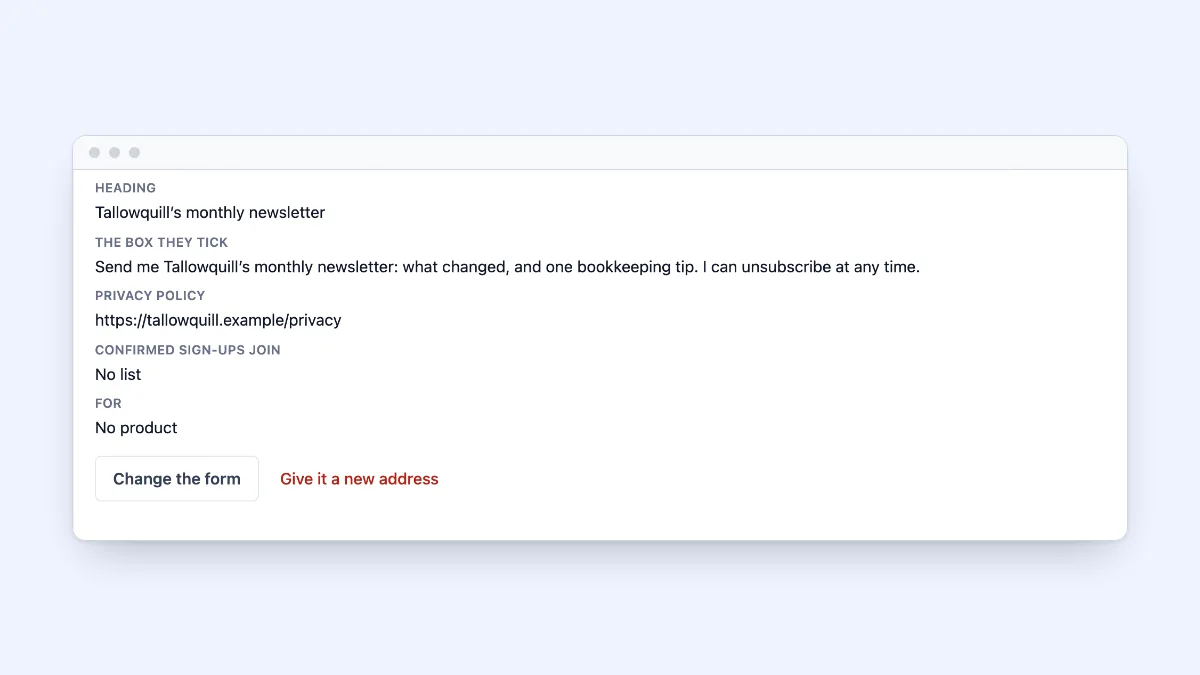
In ContactRoll, sales, support, calling and marketing email share one record for each customer, so it works as setup B. Marketing email goes only to people with a consent record. An unsubscribe is kept by address, so someone who unsubscribed stays unsubscribed even if they are imported again, and consent and unsubscribes are checked again at the moment of sending. Sign-up forms use double opt-in, as a hosted page or a plain HTML snippet, and consent is recorded with the form, the wording, the page and both times. Every marketing email has a one-click unsubscribe.
A person approves the exact version of each piece that is sent: in the ready-made roles, a Marketer drafts and an Owner or Administrator approves. Sequences start from what a customer does, such as starting a trial, and end when their goal is reached or the person unsubscribes. Each campaign shows its clicks, sign-ups, trials and the revenue it brought, and marketing email pauses itself if complaints or bounces climb, while support email carries on.
Standard holds 2,000 marketing contacts and Plus 10,000 (pricing), so Pipwhistle’s 1,500, growing by 50 a month, would fit Standard for about ten months. See marketing in ContactRoll, or start free, with no card.
Questions
Should a small business send marketing email from its CRM?
Often, yes: if most of the people you mail are customers or people who asked about your service, and you send a newsletter and a few automatic series, one tool saves the work of keeping two lists in sync. A separate email tool fits better when you mail a large audience that rarely buys, or send many designed campaigns a week.
Can I add everyone in my CRM to my newsletter?
No. Someone who wrote to your support address gave you their email to get an answer, not to receive offers. Mail marketing only to people who agreed to it, and keep a record of what they agreed to and when.
What does CAN-SPAM ask of a marketing email?
The FTC’s compliance guide lists, among other things, honest headers and subject lines, your valid physical postal address, and a clear way to opt out that you honor within 10 business days. This is not legal advice, so read the guide itself before you send.