Reports
Reports that follow the links, and a pipeline you can look back on
The report builder counts, totals and groups any record type, by its own fields or by the fields of what it is linked to. And each night ContactRoll keeps a copy of every open deal, so you can see the pipeline as it stood on any day, or month on month. On every plan.
One record type, counted through another
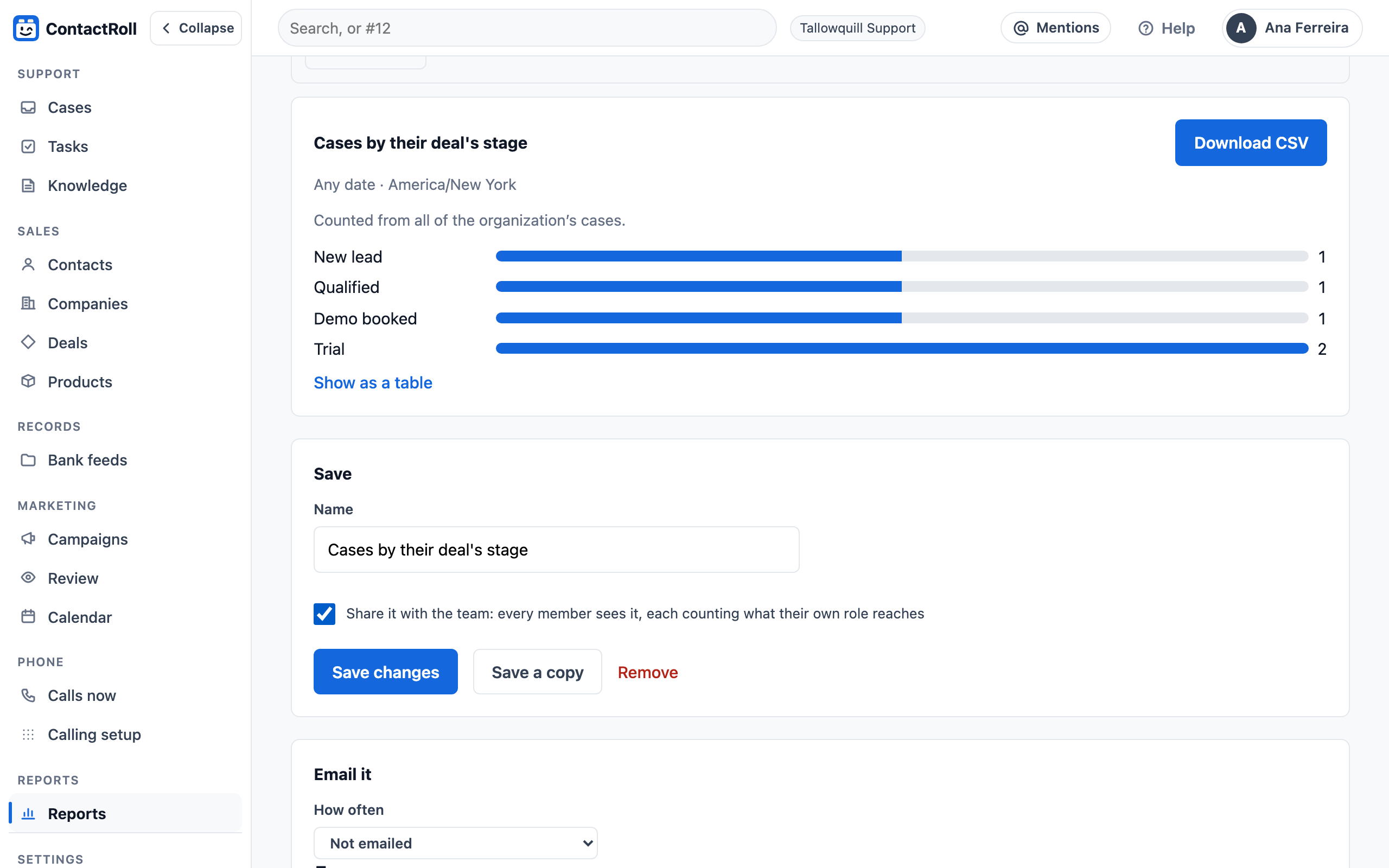
Pick what to count, then group by a field of a linked record: a case’s deal, a contact’s company, a deal’s owner and their role, or a record of your own type. Support and sales stop being two separate sets of numbers.
- A bar chart, a line, a number or a table, and a CSV file of the same rows.
- Saved, shared with the team, put on a dashboard, or emailed weekly or monthly.
Pipeline history
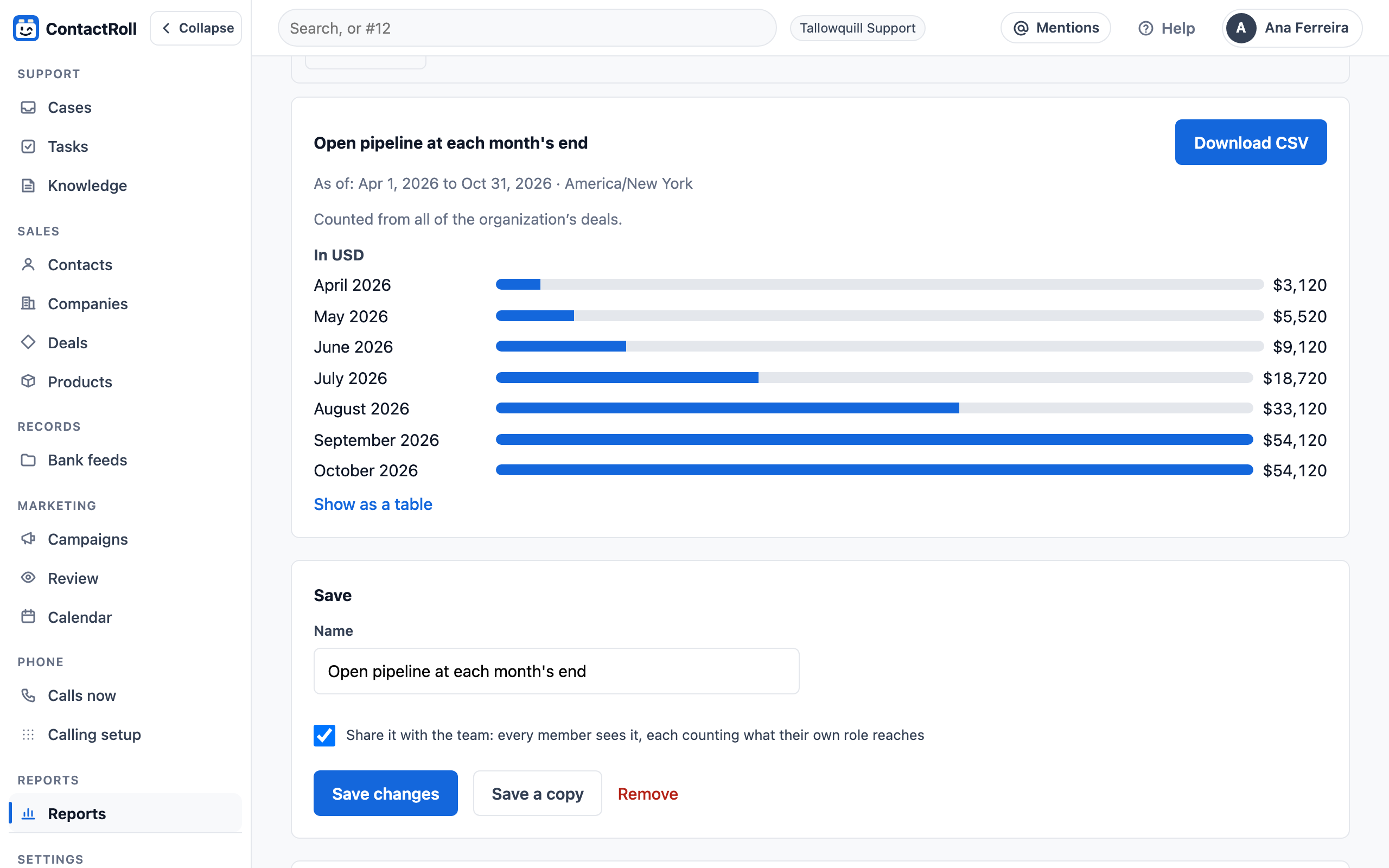
Every night ContactRoll copies each open deal as it stands: its stage, value, weighted value, owner and expected close. Set a report’s dates to one day to see the pipeline as of that day, or filter to each month’s last copy and group by month to see it grow.
The copies start the night you start, so a new team’s history begins on its first day.
Questions
What does “across linked records” mean?
A report on one kind of record can use the fields of what it is linked to: cases grouped by their deal’s stage, deals by their company’s owner, or contacts by a field on their company.
How far back does pipeline history go?
To the night ContactRoll first kept a copy of your open deals: from your first day on it, or from October 30, 2026 for organizations that were here before. Each night’s copy is kept for two years.
Does a report show records someone may not see?
No. Each report runs as the person reading it, counting only the records their role reaches, including when it is emailed to them.